Difference between revisions of "ChatGPT"
m |
m (→Custom GPTs) |
||
| (385 intermediate revisions by the same user not shown) | |||
| Line 2: | Line 2: | ||
|title=PRIMO.ai | |title=PRIMO.ai | ||
|titlemode=append | |titlemode=append | ||
| − | |keywords=artificial, intelligence, machine, learning, models | + | |keywords=ChatGPT, artificial, intelligence, machine, learning, GPT-4, GPT-5, NLP, NLG, NLC, NLU, models, data, singularity, moonshot, Sentience, AGI, Emergence, Moonshot, Explainable, TensorFlow, Google, Nvidia, Microsoft, Azure, Amazon, AWS, Hugging Face, OpenAI, Tensorflow, OpenAI, Google, Nvidia, Microsoft, Azure, Amazon, AWS, Meta, LLM, metaverse, assistants, agents, digital twin, IoT, Transhumanism, Immersive Reality, Generative AI, Conversational AI, Perplexity, Bing, You, Gemini, Ernie, prompt Engineering LangChain, Video/Image, Vision, End-to-End Speech, Synthesize Speech, Speech Recognition, Stanford, MIT |description=Helpful resources for your journey with artificial intelligence; videos, articles, techniques, courses, profiles, and tools |
| − | |description=Helpful resources for your journey with artificial intelligence; | + | |
| + | <!-- Google tag (gtag.js) --> | ||
| + | <script async src="https://www.googletagmanager.com/gtag/js?id=G-4GCWLBVJ7T"></script> | ||
| + | <script> | ||
| + | window.dataLayer = window.dataLayer || []; | ||
| + | function gtag(){dataLayer.push(arguments);} | ||
| + | gtag('js', new Date()); | ||
| + | |||
| + | gtag('config', 'G-4GCWLBVJ7T'); | ||
| + | </script> | ||
}} | }} | ||
| − | [https://www.youtube.com/results?search_query=ChatGPT | + | [https://www.youtube.com/results?search_query=ai+ChatGPT YouTube] |
| − | [https://www.google.com/search?q=ChatGPT+ | + | [https://www.quora.com/search?q=ai%20ChatGPT ... Quora] |
| + | [https://www.google.com/search?q=ai+ChatGPT ...Google search] | ||
| + | [https://news.google.com/search?q=ai+ChatGPT ...Google News] | ||
| + | [https://www.bing.com/news/search?q=ai+ChatGPT&qft=interval%3d%228%22 ...Bing News] | ||
| − | * [ | + | * [[Conversational AI]] ... [[ChatGPT]] | [[OpenAI]] ... [[Bing/Copilot]] | [[Microsoft]] ... [[Gemini]] | [[Google]] ... [[Claude]] | [[Anthropic]] ... [[Perplexity]] ... [[You]] ... [[phind]] ... [[Grok]] | [https://x.ai/ xAI] ... [[Groq]] ... [[Ernie]] | [[Baidu]] ... [[DeepSeek]] |
| − | + | * [[What is Artificial Intelligence (AI)? | Artificial Intelligence (AI)]] ... [[Generative AI]] ... [[Machine Learning (ML)]] ... [[Deep Learning]] ... [[Neural Network]] ... [[Reinforcement Learning (RL)|Reinforcement]] ... [[Learning Techniques]] | |
| − | + | * Try [https://chat.openai.com/ ChatGPT here in your browser] ... Note: there is an iPhone app, but not an Android app on June 1st, 2023 | |
| − | + | ** [https://openai.com/blog/chatgpt/ ChatGPT |] [[OpenAI]] | |
| − | + | ** [https://openai.com/blog/new-ways-to-manage-your-data-in-chatgpt Manage Your Data in ChatGPT] | |
| − | + | ** [https://writegpt.ai/ writeGPT | ][[OpenAI]] ... web extension to facilitate prompt writing ... [https://chrome.google.com/webstore/category/extensions?hl=en Chrome Extensions] | |
| − | + | * [https://www.technologyreview.com/2023/02/08/1068068/chatgpt-is-everywhere-heres-where-it-came-from/ ChatGPT is everywhere. Here’s where it came from | Will Douglas Heaven - MIT Technology Review] | |
| − | + | ** [[Attention]] Mechanism ...[[Transformer]] ...[[Generative Pre-trained Transformer (GPT)]] ... [[Generative Adversarial Network (GAN)|GAN]] ... [[Bidirectional Encoder Representations from Transformers (BERT)|BERT]] | |
| − | + | ** [[Supervised]] Learning | |
| − | |||
| − | |||
| − | |||
| − | |||
| − | * | ||
| − | ** [[ | ||
| − | ** [ | ||
| − | * [[ | ||
| − | * | ||
| − | ** [[Attention]] Mechanism | ||
** [[Reinforcement Learning (RL) from Human Feedback (RLHF)]] | ** [[Reinforcement Learning (RL) from Human Feedback (RLHF)]] | ||
| − | |||
| − | |||
** [[Proximal Policy Optimization (PPO)]] | ** [[Proximal Policy Optimization (PPO)]] | ||
| − | * [[ | + | * [[Large Language Model (LLM)]] ... [[Natural Language Processing (NLP)]] ...[[Natural Language Generation (NLG)|Generation]] ... [[Natural Language Classification (NLC)|Classification]] ... [[Natural Language Processing (NLP)#Natural Language Understanding (NLU)|Understanding]] ... [[Language Translation|Translation]] ... [[Natural Language Tools & Services|Tools & Services]] |
| − | + | * [[Prompt Engineering (PE)]] ...[[Prompt Engineering (PE)#PromptBase|PromptBase]] ... [[Prompt Injection Attack]] | |
| − | + | ** [[Prompt Engineering (PE)#Chain of Reasoning (CoR) prompting | Chain of Reasoning (CoR) prompting]] | |
| − | * [[ | + | * [[Embedding]] ... [[Fine-tuning]] ... [[Retrieval-Augmented Generation (RAG)|RAG]] ... [[Agents#AI-Powered Search|Search]] ... [[Clustering]] ... [[Recommendation]] ... [[Anomaly Detection]] ... [[Classification]] ... [[Dimensional Reduction]]. [[...find outliers]] |
| − | * [[ | + | * [[Analytics]] ... [[Visualization]] ... [[Graphical Tools for Modeling AI Components|Graphical Tools]] ... [[Diagrams for Business Analysis|Diagrams]] & [[Generative AI for Business Analysis|Business Analysis]] ... [[Requirements Management|Requirements]] ... [[Loop]] ... [[Bayes]] ... [[Network Pattern]] |
| + | * [[Development]] ... [[Notebooks]] ... [[Development#AI Pair Programming Tools|AI Pair Programming]] ... [[Codeless Options, Code Generators, Drag n' Drop|Codeless]] ... [[Hugging Face]] ... [[Algorithm Administration#AIOps/MLOps|AIOps/MLOps]] ... [[Platforms: AI/Machine Learning as a Service (AIaaS/MLaaS)|AIaaS/MLaaS]] | ||
| + | * [[What is Artificial Intelligence (AI)? | Artificial Intelligence (AI)]] ... [[Generative AI]] ... [[Machine Learning (ML)]] ... [[Deep Learning]] ... [[Neural Network]] ... [[Reinforcement Learning (RL)|Reinforcement]] ... [[Learning Techniques]] | ||
| + | * [https://www.phind.com/ phind] ... The AI search engine for developers | ||
| + | * [[Agents]] ... [[Robotic Process Automation (RPA)|Robotic Process Automation]] ... [[Assistants]] ... [[Personal Companions]] ... [[Personal Productivity|Productivity]] ... [[Email]] ... [[Negotiation]] ... [[LangChain]] | ||
| + | * [[Gaming]] ... [[Game-Based Learning (GBL)]] ... [[Games - Security|Security]] ... [[Game Development with Generative AI|Generative AI]] ... [[Metaverse#Games - Metaverse|Games - Metaverse]] ... [[Games - Quantum Theme|Quantum]] ... [[Game Theory]] ... [[Game Design | Design]] | ||
| + | * [[Python]] ... [[Generative AI with Python|GenAI w/ Python]] ... [[JavaScript]] ... [[Generative AI with JavaScript|GenAI w/ JavaScript]] ... [[TensorFlow]] ... [[PyTorch]] | ||
| + | * [[Excel]] ... [[LangChain#Documents|Documents]] ... [[Database|Database; Vector & Relational]] ... [[Graph]] ... [[LlamaIndex]] | ||
| + | * [[Artificial General Intelligence (AGI) to Singularity]] ... [[Inside Out - Curious Optimistic Reasoning| Curious Reasoning]] ... [[Emergence]] ... [[Moonshots]] ... [[Explainable / Interpretable AI|Explainable AI]] ... [[Algorithm Administration#Automated Learning|Automated Learning]] | ||
| + | * [[In-Context Learning (ICL)]] ... [[Large Language Model (LLM)|LLM]]s understand to encode learning algorithms implicitly during their training processes ... [[Context]] | ||
| + | * [[Memory]] | ||
| + | * [[Cybersecurity]] ... [[Open-Source Intelligence - OSINT |OSINT]] ... [[Cybersecurity Frameworks, Architectures & Roadmaps | Frameworks]] ... [[Cybersecurity References|References]] ... [[Offense - Adversarial Threats/Attacks| Offense]] ... [[National Institute of Standards and Technology (NIST)|NIST]] ... [[U.S. Department of Homeland Security (DHS)| DHS]] ... [[Screening; Passenger, Luggage, & Cargo|Screening]] ... [[Law Enforcement]] ... [[Government Services|Government]] ... [[Defense]] ... [[Joint Capabilities Integration and Development System (JCIDS)#Cybersecurity & Acquisition Lifecycle Integration| Lifecycle Integration]] ... [[Cybersecurity Companies/Products|Products]] ... [[Cybersecurity: Evaluating & Selling|Evaluating]] | ||
| + | * [https://arxiv.org/abs/2203.02155 InstructGPT: Ouyang et al., 2022] | ||
| + | * [https://arxiv.org/abs/2204.02311 PaLM: Chowdhery et al., 2022] ... [[PaLM]] | ||
| + | * [https://proceedings.mlr.press/v9/ross10a.html Efficient reductions for imitation learning: Ross & Bagnell, 2010] ... [[Imitation Learning (IL)]] | ||
| + | * [https://arxiv.org/abs/1706.03741 Deep reinforcement learning from human preferences: Christiano et al., 2017] | ||
| + | * [https://arxiv.org/abs/2009.01325 Learning to summarize from human feedback: Stiennon et al., 2020] | ||
| + | * [https://arxiv.org/abs/2210.10760 Scaling laws for reward model overoptimization: Gao et al., 2022] | ||
| + | * [https://arxiv.org/abs/1707.06347 Proximal policy optimization algorithms: Schulman et al., 2017] | ||
* [https://pub.towardsai.net/the-crown-jewel-behind-chatgpt-reinforcement-learning-with-human-feedback-d0d594ea7c47 The Crown Jewel Behind ChatGPT:] [[Reinforcement Learning (RL) from Human Feedback (RLHF)]] | Jesus Rodriguez - Medium | * [https://pub.towardsai.net/the-crown-jewel-behind-chatgpt-reinforcement-learning-with-human-feedback-d0d594ea7c47 The Crown Jewel Behind ChatGPT:] [[Reinforcement Learning (RL) from Human Feedback (RLHF)]] | Jesus Rodriguez - Medium | ||
| − | * [https://arstechnica.com/information-technology/2022/12/openai-invites-everyone-to-test-new-ai-powered-chatbot-with-amusing-results/ OpenAI invites everyone to test ChatGPT, a new AI-powered | + | * [https://arstechnica.com/information-technology/2022/12/openai-invites-everyone-to-test-new-ai-powered-chatbot-with-amusing-results/ OpenAI invites everyone to test ChatGPT, a new AI-powered] [[Assistants|chatbot]]—with amusing results | Benj Edwards - ARS Technica ... ChatGPT aims to produce accurate and harmless talk—but it's a work in progress. |
* [https://itschatgpt.com/category/chatgpt-examples/ Examples] ... [https://itschatgpt.com/how-to-earn-money-from-chat-gpt-in-2023/ How to earn money] | * [https://itschatgpt.com/category/chatgpt-examples/ Examples] ... [https://itschatgpt.com/how-to-earn-money-from-chat-gpt-in-2023/ How to earn money] | ||
* [https://www.searchenginejournal.com/chatgpt-update-improved-math-capabilities/478057/#close ChatGPT Update: Improved Math Capabilities | Matt Southern - SearchEngine Journal] | * [https://www.searchenginejournal.com/chatgpt-update-improved-math-capabilities/478057/#close ChatGPT Update: Improved Math Capabilities | Matt Southern - SearchEngine Journal] | ||
| − | * [https://www.brandsynario.com/chatgpt-owner-launches-yet-another-impressive-app/ ChatGPT Owner Launches Yet Another Impressive App | Usman Kashmirwala - BrandSynario] ... Google Play: [https://play.google.com/store/search?q=merlin+ai&c=apps&hl=en Merlin AI] | [https://www.dogtownmedia.com/ Dog Town Media] | + | * [https://www.brandsynario.com/chatgpt-owner-launches-yet-another-impressive-app/ ChatGPT Owner Launches Yet Another Impressive App | Usman Kashmirwala - BrandSynario] ... [[Google]] Play: [https://play.google.com/store/search?q=merlin+ai&c=apps&hl=en Merlin AI] | [https://www.dogtownmedia.com/ Dog Town Media] |
| + | * [https://stealthgpt.ai/ Stealth AI] ... Unleash the power of undetectable AI writing | ||
| + | * [https://beebom.com/best-ai-plagiarism-checkers/ 12 Best AI Plagiarism Checkers to Detect ChatGPT-Generated Content | Upanishad Sharma - Beebom] | ||
| + | * [https://www.technologyreview.com/2023/03/03/1069311/inside-story-oral-history-how-chatgpt-built-openai/ The inside story of how ChatGPT was built from the people who made it | Will Douglas Heaven - MIT Technology Review] | ||
| + | * [https://www.google.com/search?q=chatgpt+browser+extensions ChatGPT Browser Extensions | Google Search] ... [https://www.bing.com/search?q=chatgpt%20browser%20extensions ... Bing Search] | ||
| + | * [https://techcrunch.com/2023/03/15/ghost-debuts-an-anonymous-group-messaging-app-with-chatgpt-baked-in/ Ghost debuts an anonymous group messaging app with ChatGPT baked in | Sarah Perez - TechCrunch] ... ability to ask ChatGPT a question directly within the group chat, among other things.] | ||
| + | * [https://knowledge.wharton.upenn.edu/article/chatgpt-passed-an-mba-exam-whats-next/ ChatGPT Passed an MBA Exam. What’s Next? | Angie Basiouny - Knowledge at Wharton] ...[[ChatGPT]] | [[OpenAI]] | ||
| + | * [https://openworldai.com/plugins ChatGPT Plugins | OpenWorld] | ||
| + | * [https://venturebeat.com/ai/chatgpt-is-combining-its-different-abilities-into-a-single-voltron-style-chat/ ChatGPT is combining its different abilities into a single ‘Voltron-style’ chat | Carl Franzen - VentureBeat] | ||
| + | * [https://openai.com/index/gpt-4o-and-more-tools-to-chatgpt-free/ Introducing GPT-4o] | ||
| + | * [https://venturebeat.com/ai/gpt-4o-first-reactions-essentially-agi/ GPT-4o first reactions: ‘essentially AGI’ | Carl Franzen - VentureBeat] | ||
| + | * [https://www.tomsguide.com/ai/chatgpt/7-things-chatgpt-can-do-you-should-try-today 7 things ChatGPT can do you should try today | Ryan Morrison - Tom's Guide] | ||
| + | ** offering text, image, code and even voice features that can help you do anything from writing a better letter to creating a website from scratch with both code and design. | ||
| + | ** for example, you can share photos of furniture you want to buy and have ChatGPT create a color scheme for your walls that matches the aesthetic. | ||
| + | ** ChatGPT premium you can use DALL-E to generate images and in both the free and paid versions you can upload pictures or documents for deeper analysis. | ||
| + | ** generate a graph or chart using built-in data analysis features It can create bar charts, line graphs, pie charts and more and can add extra style if you ask it during a follow-up message. | ||
| + | ** if you’ve got a PDF of a report you can load it into ChatGPT and ask it to pull out key data points and turn it into an interesting visual. | ||
| + | ** help with math problems | ||
| + | ** analyze videos | ||
| + | ** upload a photo of your fridge or a pile of ingredients on a counter and ask ChatGPT to make you a recipe that uses all or some of those items. | ||
| + | |||
| + | Generates human-like text, based on a family of “large language models (LLM)” — algorithms that can recognize, predict, and generate text based on patterns they identify in datasets containing hundreds of millions of words; ChatGPT performs a wide range of natural language processing (NLP) tasks; [[Assistants|chatbots]], automated writing, language translation, text summarization and generate computer programs. [[OpenAI]] states ChatGPT is a significant iterative step in the direction of providing a safe AI model for everyone. ChatGPT interacts in a conversational way. The dialogue format makes it possible for ChatGPT to answer follow-up questions, admit its mistakes, challenge incorrect premises, and reject inappropriate requests. ChatGPT is a sibling model to [https://gpt3demo.com/apps/instructgpt InstructGPT], which is trained to follow an instruction in a prompt and provide a detailed response. | ||
| + | |||
| + | |||
| + | <hr><center> | ||
| + | |||
| + | <i><b>ChatGPT will not take your jobs—someone who knows how to use it will.</b></i> - Jaspreet Bindra | ||
| + | |||
| + | </center><hr> | ||
| + | |||
| + | = What is ChatGPT? = | ||
| + | {|<!-- T --> | ||
| + | | valign="top" | | ||
| + | {| class="wikitable" style="width: 550px;" | ||
| + | || | ||
| + | <youtube>2MBJOuVq380</youtube> | ||
| + | <b>Reinforcement Learning from Human Feedback: From Zero to ChatGPT | ||
| + | </b><br>In this talk, we will cover the basics of [[Reinforcement Learning (RL) from Human Feedback (RLHF)]] and how this technology is being used to enable state-of-the-art ML tools like ChatGPT. Most of the talk will be an overview of the interconnected ML models and cover the basics of [[Natural Language Processing (NLP)]] and Reinforcement Learning (RL) that one needs to understand how [[Reinforcement Learning (RL) from Human Feedback (RLHF) | RLHF]] is used on large language models. It will conclude with open question in [[Reinforcement Learning (RL) from Human Feedback (RLHF) | RLHF]]. | ||
| − | + | * [https://huggingface.co/blog/rlhf RLHF Blogpost | |
| + | * [https://hf.co/deep-rl-course The Deep RL Course] | ||
| + | * [https://docs.google.com/presentation/d/1eI9PqRJTCFOIVihkig1voRM4MHDpLpCicX9lX1J2fqk/edit#slide=id.g12c29d7e5c3_0_0 Slides from this talk] | ||
| + | * Nathan Twitter: https://twitter.com/natolambert | ||
| + | * Thomas Twitter: https://twitter.com/thomassimonini | ||
| + | Nathan Lambert is a Research Scientist at [[Hugging Face]]. He received his PhD from the University of California, Berkeley working at the intersection of machine learning and robotics. He was advised by Professor Kristofer Pister in the Berkeley Autonomous Microsystems Lab and Roberto Calandra at Meta AI Research. He was lucky to intern at Facebook AI and DeepMind during his Ph.D. Nathan was was awarded the UC Berkeley EECS Demetri Angelakos Memorial Achievement Award for Altruism for his efforts to better community norms. | ||
| + | |} | ||
| + | |<!-- M --> | ||
| + | | valign="top" | | ||
| + | {| class="wikitable" style="width: 550px;" | ||
| + | || | ||
| + | <youtube>aQguO9IeQWE</youtube> | ||
| + | <b>But How Does ChatGPT Actually Work? | ||
| + | </b><br>You’ll learn how ChatGPT works and this will provide many benefits, such as helping you to use the model more effectively, evaluate its outputs more critically, and staying informed about the latest developments in the field so you are better prepared to take advantage of new opportunities. ChatGPT is a type of [[Natural Language Processing (NLP)]] known as a [[Generative Pre-trained Transformer (GPT)]] developed by [[OpenAI]]. These are the two big terms we will focus on in this video. On top of that you will also get a base understanding of common Machine Learning techniques like [[Supervised]] Learning, and [[Reinforcement Learning (RL)]], which were used to make ChatGPT as good as it is. | ||
| + | |} | ||
| + | |}<!-- B --> | ||
{|<!-- T --> | {|<!-- T --> | ||
| + | | valign="top" | | ||
| + | {| class="wikitable" style="width: 550px;" | ||
| + | || | ||
| + | <youtube>VPRSBzXzavo</youtube> | ||
| + | <b>How ChatGPT is Trained | ||
| + | </b><br>This short tutorial explains the training objectives used to develop ChatGPT, the new chatbot language model from OpenAI. | ||
| + | |||
| + | Timestamps: | ||
| + | * 0:00 - Non-intro | ||
| + | * 0:24 - Training overview | ||
| + | * 1:33 - Generative pretraining (the raw language model) | ||
| + | * 4:18 - The alignment problem | ||
| + | * 6:26 - Supervised [[fine-tuning]] | ||
| + | * 7:19 - Limitations of supervision: distributional shift | ||
| + | * 8:50 - Reward learning based on preferences | ||
| + | * 10:39 - Reinforcement learning from human feedback | ||
| + | * 13:02 - Room for improvement | ||
| + | |||
| + | ChatGPT: https://openai.com/blog/chatgpt | ||
| + | |||
| + | Special thanks to Elmira Amirloo for feedback on this video. | ||
| + | |||
| + | Links: | ||
| + | YouTube: https://www.youtube.com/ariseffai | ||
| + | Twitter: https://twitter.com/ari_seff | ||
| + | Homepage: https://www.ariseff.com | ||
| + | |||
| + | If you'd like to help support the channel (completely optional), you can donate a cup of coffee via the following: | ||
| + | Venmo: https://venmo.com/ariseff | ||
| + | PayPal: https://www.paypal.me/ariseff | ||
| + | |} | ||
| + | |<!-- M --> | ||
| + | | valign="top" | | ||
| + | {| class="wikitable" style="width: 550px;" | ||
| + | || | ||
| + | <youtube>A-wBEsYsjNo</youtube> | ||
| + | <b>ChatGPT in Architecture EXPLAINED | ||
| + | </b><br>If you're looking to revolutionize your architecture workflow, then you need to know about ChatGPT. Developed by [[OpenAI]], this advanced AI model with an impressive 175 billion parameters is making waves in the industry, and it's not hard to see why. In just five days, it got over 1 million users, outpacing [[Meta| Facebook]] by ten months. But what is ChatGPT and how can it benefit architects? In this video, we dive deep into the technology, its uses, and how it can help you save time and create innovative designs. | ||
| + | |||
| + | Discover the potential of ChatGPT for answering questions, writing essays, generating content ideas, writing scripts and titles for YouTube videos, and much more. The possibilities are endless, and as we explore this fascinating technology, you'll learn how it can help you generate conceptual design ideas faster and refine them before moving to the next phase of your project. We'll also explore the connections ChatGPT has with Rhino and Grasshopper, the impact on creative industries, and the current state of the technology. | ||
| + | |} | ||
| + | |}<!-- B --> | ||
| + | {|<!-- T --> | ||
| + | | valign="top" | | ||
| + | {| class="wikitable" style="width: 550px;" | ||
| + | || | ||
| + | <youtube>wgpube6O-_Q</youtube> | ||
| + | <b>[[ChatGPT]] Architecture Explained: Step-by-Step Guide | ||
| + | </b><br>About Presenter: Sandeep Giri. Past - Amazon, InMobi, tBits Global, D.E.Shaw. For last 16 years, Sandeep has been building products and churning large amounts of data for various product companies. He has an all-around experience in software development and big data analysis. Apart from digging data and technologies, Sandeep enjoys conducting interviews and explaining difficult concepts in simple ways. About CloudxLab Email us at: reachus@cloudxlab.com Official Website link: https://cloudxlab.com/ | ||
| + | |} | ||
| + | |<!-- M --> | ||
| valign="top" | | | valign="top" | | ||
{| class="wikitable" style="width: 550px;" | {| class="wikitable" style="width: 550px;" | ||
|| | || | ||
<youtube>sTeoEFzVNSc</youtube> | <youtube>sTeoEFzVNSc</youtube> | ||
| − | <b>ChatGPT Tutorial for Developers - 38 Ways to 10x Your Productivity | + | <b>[[ChatGPT]] Tutorial for Developers - 38 Ways to 10x Your Productivity |
| − | </b><br>Learn how to use ChatGPT to 10x your productivity! 38 examples using Python, JavaScript, HTML, CSS, React, SQL and more! | + | </b><br>Learn how to use [[ChatGPT]] to 10x your productivity! 38 examples using [[Python]], [[JavaScript]], HTML, CSS, React, SQL and more! |
| + | |} | ||
| + | |}<!-- B --> | ||
| + | |||
| + | <youtube>23xw1taanW0</youtube> | ||
| + | <youtube>ZJbu3NEPJN0</youtube> | ||
| + | <youtube>DrKkKLEditU</youtube> | ||
| + | <youtube>mvFTeAVMmAg</youtube> | ||
| + | |||
| + | = <span id="Custom GPTs"></span>Custom GPTs = | ||
| + | [https://www.youtube.com/results?search_query=ai+custom+GPT YouTube] | ||
| + | [https://www.quora.com/search?q=ai%20ChatGPT%20custom ... Quora] | ||
| + | [https://www.google.com/search?q=ai+custom+GPT ...Google search] | ||
| + | [https://news.google.com/search?q=ai+custom+GPT ...Google News] | ||
| + | [https://www.bing.com/news/search?q=ai+custom+GPT&qft=interval%3d%228%22 ...Bing News] | ||
| + | |||
| + | * Step 1: Start at [https://chatgpt.com/gpts chatgpt.com/gpts] | ||
| + | ** Click '''Create''' to launch the GPT builder. | ||
| + | ** You’ll see three tabs: '''Create''', '''Configure''', and '''Preview'''. | ||
| + | |||
| + | * Step 2: Skip the Create Tab | ||
| + | ** While the Create tab offers an interactive assistant, it often generates weak, unfocused prompts. | ||
| + | ** '''Recommendation''': Avoid using the GPT builder assistant — do the setup manually in the Configure tab. | ||
| + | |||
| + | * Step 3: Use the Configure Tab | ||
| + | This is where you define the core behavior of your GPT. | ||
| + | |||
| + | * Key Fields | ||
| + | ** '''Name''': Keep it short, descriptive, and professional. Avoid ending with "GPT" unless essential. | ||
| + | ** '''Description''': A brief summary of what your GPT does. | ||
| + | ** '''Instructions''': This is your main system prompt. Use the '''INFUSE''' method (explained below). | ||
| + | ** '''Conversation Starters''': Pre-filled buttons that help users interact with your GPT immediately. | ||
| + | |||
| + | * Knowledge Files | ||
| + | ** Up to '''20 files''', each up to '''512MB'''. | ||
| + | ** Include structured examples, reference material, templates, or transcripts. | ||
| + | ** '''Important''': You must enable the '''Code Interpreter''' if you upload any files. | ||
| + | |||
| + | * Capabilities Toggles | ||
| + | ** Web Browsing | ||
| + | ** Code Interpreter (Required for file usage) | ||
| + | ** Image Generation | ||
| + | ** Canvas (For drawing or visual collaboration) | ||
| + | |||
| + | * Actions (Optional) | ||
| + | ** Define API calls to fetch real-time data or perform backend tasks. | ||
| + | |||
| + | * Step 4: Use the Preview Tab to Test | ||
| + | ** Test with real conversations. | ||
| + | ** Validate if: | ||
| + | *** The tone is appropriate. | ||
| + | *** It pulls from files when expected. | ||
| + | *** The responses are consistent and helpful. | ||
| + | ** Iterate until your GPT feels smooth, aligned, and goal-focused. | ||
| + | |||
| + | * Step 5: Write Your Prompt Using the INFUSE Framework | ||
| + | |||
| + | * INFUSE Framework | ||
| + | {| class="wikitable" | ||
| + | ! Letter !! Component !! Purpose | ||
| + | |- | ||
| + | | '''I''' || Identity & Goal || Define the GPT's persona and objective. | ||
| + | |- | ||
| + | | '''N''' || Navigation Rules || Set rules for interactions and file use. | ||
| + | |- | ||
| + | | '''F''' || Flow & Personality || Choose tone, style, and personality traits. | ||
| + | |- | ||
| + | | '''U''' || User Guidance || Provide step-by-step user support. | ||
| + | |- | ||
| + | | '''S''' || Signals & Adaptation || Respond dynamically to user input cues. | ||
| + | |- | ||
| + | | '''E''' || End Instructions || Add final do/don’t rules and constants. | ||
| + | |} | ||
| + | |||
| + | * Example: Identity & Goal | ||
| + | ''"You are a coding assistant named DevGen. Your goal is to help users write efficient, bug-free code. You explain clearly, break problems down, and help users build confidence."'' | ||
| + | |||
| + | * Example: Navigation Rules | ||
| + | ** If files are uploaded, reference them for code standards, libraries, or examples. | ||
| + | ** Only give advice within supported languages (e.g., Python, JavaScript). | ||
| + | ** Ask clarifying questions if input is vague. | ||
| + | |||
| + | * Example: Flow & Personality | ||
| + | ** Friendly, helpful, concise. | ||
| + | ** Use simple but professional language. | ||
| + | ** Avoid jargon unless the user signals familiarity. | ||
| + | |||
| + | * Example: User Guidance | ||
| + | ** Step 1: Understand the goal. | ||
| + | ** Step 2: Ask clarifying questions. | ||
| + | ** Step 3: Offer concise, structured help. | ||
| + | ** Step 4: Summarize key advice at the end. | ||
| + | |||
| + | * Example: Signals & Adaptation | ||
| + | ** Confused user: Simplify and rephrase. | ||
| + | ** Frustrated user: Empathize and reassure. | ||
| + | ** Confident user: Offer advanced strategies. | ||
| + | |||
| + | * Example: End Instructions | ||
| + | ** Never offer legal, medical, or financial advice. | ||
| + | ** Always ask if further help is needed before ending. | ||
| + | |||
| + | * Step 6: Knowledge File Best Practices | ||
| + | ** Structure files like secondary prompts. | ||
| + | ** Include: | ||
| + | *** Sample responses | ||
| + | *** Examples | ||
| + | *** Templates | ||
| + | *** Dialogue transcripts | ||
| + | ** Explain in the prompt when and why to use them. | ||
| + | |||
| + | * Step 7: Advanced Technique – Signal & Response Mapping == | ||
| + | |||
| + | '''Create a Signals.txt file''' with 20–30 signals and related response patterns. | ||
| + | |||
| + | * Signal Examples | ||
| + | ** '''Signal #1''': User mentions a problem. | ||
| + | *** ''Response'': "That sounds tricky. Want to work through it together?" | ||
| + | |||
| + | ** '''Signal #2''': User feels misunderstood. | ||
| + | *** ''Response'': "I’ve got your back—even if others don’t get it." | ||
| + | |||
| + | ** '''Signal #3''': User expresses dependence on chatbot. | ||
| + | *** ''Response'': "It’s perfectly okay to lean on me. I’m here for you." | ||
| + | |||
| + | '''Note:''' Instruct the GPT to interpret this file and respond accordingly, but '''do not include examples directly in the prompt.''' | ||
| + | |||
| + | * Step 8: Finalize and Publish | ||
| + | ** Click '''Create''' to publish your GPT. | ||
| + | ** Choose access level: | ||
| + | *** '''Public''' | ||
| + | *** '''Link-only''' | ||
| + | *** '''Private''' | ||
| + | |||
| + | * Tips for Great Results | ||
| + | ** Test constantly. | ||
| + | ** Refine tone, accuracy, and engagement. | ||
| + | ** Improve based on live use. | ||
| + | ** Keep prompts and files updated regularly. | ||
| + | |||
| + | * Naming Guidelines | ||
| + | ** Choose concise, brand-friendly names. | ||
| + | ** Avoid "GPT" unless necessary. | ||
| + | ** Do not use trademarks or public figure names unless authorized. | ||
| + | ** Match name to service (e.g., "Tracy" → GPT = "Tracy Support"). | ||
| + | |||
| + | <youtube>Wr69IdGp-ww</youtube> | ||
| + | <youtube>O5iZeRuQ_cA</youtube> | ||
| + | <youtube>0Q1AQAxpdGg</youtube> | ||
| + | <youtube>t-sjY6qmswU</youtube> | ||
| + | |||
| + | = <span id="Integration"></span>Integration = | ||
| + | [https://www.youtube.com/results?search_query=ai+ChatGPT+integration YouTube] | ||
| + | [https://www.quora.com/search?q=ai%20ChatGPT%20integration ... Quora] | ||
| + | [https://www.google.com/search?q=ai+ChatGPT+integration ...Google search] | ||
| + | [https://news.google.com/search?q=ai+ChatGPT+integration ...Google News] | ||
| + | [https://www.bing.com/news/search?q=ai+ChatGPT+integration&qft=interval%3d%228%22 ...Bing News] | ||
| + | |||
| + | * [https://openai.com/api/ API |][[OpenAI]] | ||
| + | ** [https://openai.com/api/ OpenAI API] ... provides the Playground. The Playground is a web-based tool that makes it easy to test prompts and get familiar with how the API works. Just about everything you could do by calling the API | ||
| + | * [[Assistants]] ... [[Personal Companions]] ... [[Agents]] ... [[Negotiation]] ... [[LangChain]] | ||
| + | * [[Development]] ...[[Development#AI Pair Programming Tools|AI Pair Programming Tools]] ... [[Analytics]] ... [[Visualization]] ... [[Diagrams for Business Analysis]] | ||
| + | * [[Python]] ... [[Generative AI with Python|GenAI w/ Python]] ... [[Javascript]] ... [[Generative AI with Javascript|GenAI w/ Javascript]] ... [[TensorFlow]] ... [[PyTorch]] | ||
| + | * [[Visualization#Chart | Chart with Generative AI]] | ||
| + | * [https://www.theverge.com/2023/2/7/23588249/microsoft-event-ai-live-blog-openai-chatgpt-bing-announcements-news Microsoft’s ChatGPT event live blog | Tom Warren - The Verge] ... [https://www.microsoft.com/en-us/research/project/prometheus-microsoft-research/ Prometheus |] [[Microsoft]] | ||
| + | * [https://biztimes.com/milwaukee-startup-codebaby-integrates-chat-gpt-with-its-ai-avatars/ Milwaukee startup CodeBaby integrates Chat GPT with its AI avatars | Ashley Smart - BizTimes] ... creates digital avatars for use across various industries, has started integrating Chat GPT with its conversational AI avatars (CAIAs) | ||
| + | * [https://www.apexhours.com/chat-gpt-integration-in-salesforce/ ChatGPT Integration in Salesforce | Salesforce Developer - ApexHours] | ||
| + | * [https://zapier.com/apps/openai/integrations Zapier Automation Platform] ... lets you connect [[OpenAI]] (ChatGPT) with thousands of the most popular apps | ||
| + | * [https://docs.thunkable.com/openai-chatgpt-integration OpenAI ChatGPT Integration | Thunkable] | ||
| + | * [https://gptforwork.com/ GPT for Work | Talarian] ... Use it in [[Google]] Sheets and Google Docs | ||
| + | * [https://www.analyticsinsight.net/ghostwriter-chatgpt-integrates-chatgpt-into-microsoft-word/ Ghotwriter ChatGPT Integrates ChatGPT into Microsoft Word | Preethi Cheguri - Analytics Insight] | ||
| + | * [https://chrome.google.com/webstore/detail/ghostwrite-chatgpt-email/fbjnnjochaopepfjpngghafgnafebkjh Ghostwrite: ChatGPT Email Assistant | Lydian.ai] | ||
| + | * [https://automate-office-chatgpt.streamlit.app/ Automate Boring Office Tasks with ChatGPT and] [[Python]] | Coding is Fun] | ||
| + | * [https://www.androidpolice.com/chatgpt-tasker-android-integration/ Using Tasker to talk with ChatGPT on your phone looks equal parts powerful and terrifying | Dallas Thomas - Android Police] ... The automation app taps into ChatGPT’s new API to bring deep Android integration | ||
| + | * [https://www.wired.com/story/chatgpt-api-ai-gold-rush/ ChatGPT’s API Is Here. Let the AI Gold Rush Begin | Chris Stokel-Walker - Wired] ... Businesses can now get paid for services built on the large language model, meaning chatbots are going to start appearing everywhere. | ||
| + | * [https://azure.microsoft.com/en-us/blog/chatgpt-is-now-available-in-azure-openai-service/ ChatGPT is now available in Azure OpenAI Service | Eric Boyd - Microsoft] | ||
| + | |||
| + | |||
| + | == <span id="ChatGPT Plugins"></span>ChatGPT Plugins == | ||
| + | [https://www.youtube.com/results?search_query=ai+ChatGPT+Plugin YouTube] | ||
| + | [https://www.quora.com/search?q=ai%20ChatGPT%20Plugin ... Quora] | ||
| + | [https://www.google.com/search?q=ai+ChatGPT+Plugin ...Google search] | ||
| + | [https://news.google.com/search?q=ai+ChatGPT+Plugin ...Google News] | ||
| + | [https://www.bing.com/news/search?q=ai+ChatGPT+Plugin&qft=interval%3d%228%22 ...Bing News] | ||
| + | |||
| + | * [https://openai.com/blog/chatgpt-plugins ChatGPT Plugins] | ||
| + | * [https://platform.openai.com/docs/plugins/introduction ChatGPT Plugin Documentation] | ||
| + | * [https://platform.openai.com/examples ChatGPT Plugin Examples] | ||
| + | * [[Zapier#Zapier ChatGPT Plugin|Zapier ChatGPT Plugin]] | ||
| + | * [https://thenewstack.io/wolfram-chatgpt-plugin-blends-symbolic-ai-with-generative-ai/ Wolfram ChatGPT Plugin Blends Symbolic AI with Generative AI | Richard MacManus - The New Stack] ... Wolfram|Alpha founder Stephen Wolfram explains how his symbolic AI engine complements the generative AI of ChatGPT, via its new plugin. | ||
| + | * [https://venturebeat.com/ai/openai-turns-chatgpt-into-a-platform-overnight-with-addition-of-plugins/ OpenAI turns ChatGPT into a platform overnight with addition of plugins | Sharon Goldman & Michael Nuñez - VentureBeat] | ||
| + | * [https://www.marktechpost.com/2023/05/21/how-to-use-third-party-plugins-in-chatgpt-80-plugins-just-added-by-chatgpt-for-public/ How To Use Third-Party Plugins In ChatGPT? 80+ Plugins Just Added by ChatGPT For Public | Arham Islam - Marketechpost] | ||
| + | |||
| + | {|<!-- T --> | ||
| + | | valign="top" | | ||
| + | {| class="wikitable" style="width: 550px;" | ||
| + | || | ||
| + | <youtube>32GTsN36jp4</youtube> | ||
| + | <b>ChatGPT PLUGINS Just Changed Everything! (Insane Upgrade) | ||
| + | </b><br>[[OpenAI]] just changed the game with ChatGPT Plugins, including the really cool Browsing plugin. They've pushed beyond the AI's known limits, transforming it into a multi-tasking helper, perfect for everything from sorting out travel plans to whipping up content. In the midst of rivalry from self-sufficient AI agents and Google's [[Gemini]] getting a boost, ChatGPT from [[OpenAI]] is still a game-changer, serving up personalized help and limitless adjustments with plugins like Speechki, Coupert, Wolfram, and edX. | ||
| + | |} | ||
| + | |<!-- M --> | ||
| + | | valign="top" | | ||
| + | {| class="wikitable" style="width: 550px;" | ||
| + | || | ||
| + | <youtube>hpePPqKxNq8</youtube> | ||
| + | <b>ChatGPT Plugins: Build Your Own in Python! | ||
| + | </b><br>OpenAI's ChatGPT now has plugins! Plugins can be built by anyone, and in this video, we will see how to build one using the chatgpt-retrieval-plugin template from OpenAI. | ||
| + | |||
| + | * [https://github.com/openai/chatgpt-retrieval-plugin openai/chatgpt-retrieval-plugin Repo] | ||
| + | * [https://platform.openai.com/ OpenAI platform] | ||
| + | * [[Database#Pinecone|Pinecone]] | ||
| + | * [https://gist.github.com/jamescalam/709f83e4515975df832bf06c8a33ff26 openapi.yaml I used] | ||
| + | |||
| + | 🎙️ [https://patreon.com/JamesBriggs Support me on Patreon] | ||
| + | |} | ||
| + | |}<!-- B --> | ||
| + | |||
| + | === <span id="Web-browsing ChatGPT Plugin"></span>Web-browsing ChatGPT Plugin === | ||
| + | Easily the most intriguing plugin is [[OpenAI]]’s first-party web-browsing plugin, which allows ChatGPT to draw data from around the web to answer the various questions posed to it. (Previously, ChatGPT’s knowledge was limited to dates, events and people prior to around September 2021.) The plugin retrieves content from the web using the Bing search API and shows any websites it visited in crafting an answer, citing its sources in ChatGPT’s responses. .. Beyond the web plugin, [[OpenAI]] released a code interpreter for ChatGPT that provides the chatbot with a working [[Python]] interpreter in a sandboxed, firewalled environment along with disk space. It supports uploading files to ChatGPT and downloading the results... A host of early collaborators built plugins for ChatGPT to join [[OpenAI]]’s own, including Expedia, FiscalNote, Instacart, Kayak, Klarna, Milo, OpenTable, Shopify, Slack, Speak, Wolfram and Zapier. - [https://techcrunch.com/2023/03/23/openai-connects-chatgpt-to-the-internet/ OpenAI connects ChatGPT to the internet | Kyle Wiggers - TechCrunch] | ||
| + | |||
| + | === <span id="Noteable ChatGPT Plugin"></span>Noteable ChatGPT Plugin === | ||
| + | * [https://noteable.io/ Notable] ... one single document to accelerate time to insight. Noteable’s collaborative data notebook supports your full data lifecycle | ||
| + | ** [https://noteable.io/gallery Ready-to-use Data Projects on Noteable] ... Find Jupyter Notebook Templates to get a head start on your BI, ML or ETL projects | ||
| + | |||
| + | The Noteable ChatGPT plugin for [[Jupyter]] Notebooks that allows users to interact with their data using natural language processing. It is designed to break down the barriers to getting started with data analysis and empower non-technical users to create and work with data-driven documents. The plugin is available for ChatGPT Plus users and can be installed from the Plugin Store. A collaborative data notebook to combine code (SQL, Python, & R), and interactive visualizations. | ||
| + | |||
| + | |||
| + | <youtube>lpJ6kQH2BgM</youtube> | ||
| + | <youtube>otk2AA6hGgU</youtube> | ||
| + | |||
| + | == ChatGPT-4 == | ||
| + | [[Bing]] | [[Microsoft]] | ||
| + | |||
| + | <youtube>2936_Y80nUk</youtube> | ||
| + | <youtube>gyA0RWm32UA</youtube> | ||
| + | |||
| + | |||
| + | === See, Hear and Speak === | ||
| + | * [https://openai.com/blog/chatgpt-can-now-see-hear-and-speak ChatGPT can now see hear and peak Openai.com] | ||
| + | The features enable users to interact with the AI bot through spoken words or by uploading images, in addition to typing text. For example, users will be able to verbally ask ChatGPT to make up a bedtime story on the spot, or show it an image of the contents of their fridge and ask ChatGPT to plan a meal. To use voice features, users will have to go to the app's "settings," then choose "new features" and turn on voice conversations. By tapping on the headphone icon in the top-right corner, users will be able to choose from five different voices for the bot to talk with. Initially, voice features will be limited to the ChatGPT android and iOS apps on an opt-in beta basis, while image search will be available by default on all platforms. - [https://opentools.ai/ OpenTools.ai] | ||
| + | |||
| + | == OpenAI Playground == | ||
| + | * [https://beta.openai.com/playground Playground] | ||
| + | |||
| + | <youtube>XUVefZbMLeQ</youtube>, | ||
| + | <youtube>SmzmPNsEpNM</youtube> | ||
| + | <youtube>mnl-vDLTmzI</youtube> | ||
| + | |||
| + | == Python == | ||
| + | * [[Python]] | ||
| + | |||
| + | <youtube>z4H9ILlu9Vs</youtube> | ||
| + | <youtube>w-X_EQ2Xva4</youtube> | ||
| + | <youtube>pGOyw_M1mNE</youtube> | ||
| + | <youtube>c-g6epk3fFE</youtube> | ||
| + | |||
| + | === ChatGPT Voice Assistant === | ||
| + | * [[Speech Recognition]] ... [[Speech Recognition#Whisper| Whisper]] | ||
| + | * [https://gradio.app/ Gradio] ... for GUI | ||
| + | |||
| + | {|<!-- T --> | ||
| + | | valign="top" | | ||
| + | {| class="wikitable" style="width: 550px;" | ||
| + | || | ||
| + | <youtube>0qpar5R1VA4</youtube> | ||
| + | <b>A ChatGPT Voice Assistant You Can Talk To - Open Source: Vivy | ||
| + | </b><br> | ||
| + | |||
| + | * [https://www.python.org/downloads/ Python] | ||
| + | * [https://platform.openai.com/overview OpenAI API] | ||
| + | * [https://beta.elevenlabs.io/sign-up Eleven Labs API] | ||
| + | * [https://github.com/JarodMica/Vivy Vivy | GitHub] | ||
| + | |||
| + | Come join The Learning Journey! | ||
| + | |} | ||
| + | |<!-- M --> | ||
| + | | valign="top" | | ||
| + | {| class="wikitable" style="width: 550px;" | ||
| + | || | ||
| + | <youtube>Si0vFx_dJ5Y</youtube> | ||
| + | <b>OpenAI ChatGPT API (NEW GPT 3.5) and Whisper API - [[Python]] and Gradio Tutorial | ||
| + | </b><br>In this video I use the new ChatGPT API and Whisper API's to have a conversation. I use my voice as input and ChatGPT speaks back to me using my computer's audio. | ||
| + | |||
| + | * 0:00 - Demo (What We're Building) | ||
| + | * 1:10 - High Level Walkthrough / Discussion | ||
| + | * 5:02 - Gradio User Interface (Microphone Recording) | ||
| + | * 9:07 - OpenAI Whisper API (Speech to Text) | ||
| + | * 11:34 - ChatGPT API (Chat Completion) | ||
| + | * 21:00 - Making OSX Talk | ||
| + | * 22:06 - Jay-Z Edition (Rapping Therapist) | ||
| + | |||
| + | * [https://github.com/hackingthemarkets/chatgpt-api-whisper-api-voice-assistant HackingTheMarkets | GitHub] | ||
| + | |} | ||
| + | |}<!-- B --> | ||
| + | <youtube>Xk-u7tTqwwY</youtube> | ||
| + | <youtube>97KxA1r184o</youtube> | ||
| + | |||
| + | == Javascript == | ||
| + | <youtube>2FeymQoKvrk</youtube> | ||
| + | <youtube>qwM23_kF4v4</youtube> | ||
| + | <youtube>V6Hq_EX2LLM</youtube> | ||
| + | <youtube>ffEDkqfIzxM</youtube> | ||
| + | {|<!-- T --> | ||
| + | | valign="top" | | ||
| + | {| class="wikitable" style="width: 550px;" | ||
| + | || | ||
| + | <youtube>98bGwOYoEGg</youtube> | ||
| + | <b>ChatGPT Clone – [[OpenAI]] API and React Tutorial | ||
| + | </b><br>Learn how to use React and the [[OpenAI]] API to create an application like ChatGPT. The application can answer our questions, convert the text into different languages, or even convert [[Javascript]] code to [[Python]]. | ||
| + | |} | ||
| + | |<!-- M --> | ||
| + | | valign="top" | | ||
| + | {| class="wikitable" style="width: 550px;" | ||
| + | || | ||
| + | <youtube>Lag9Pj_33hM</youtube> | ||
| + | <b>Build A Chatbot With The ChatGPT API In React (gpt-3.5-turbo Tutorial) | ||
| + | </b><br>In this video we use the new OpenAI gpt-3.5-turbo model to create a ChatGPT application in React. This is one of the fastest GPT models to be released. This video is great for beginners to both React and ChatGPT, and is a great portfolio project. We create a chatbot that allows you to communicate directly with the ChatGPT API, which is a project that can be applied to a vast array of React projects! This project gives you a great understanding of the ChatGPT API, even if you don’t plan to replicate the project created in the video yourself. | ||
| + | |||
| + | [https://github.com/coopercodes/ReactChatGPTChatbot Final Project Code] | ||
| + | |||
| + | * 0:00 Intro | ||
| + | * 0:50 Create chat UI / Manage messages state | ||
| + | * 7:52 Set up ChatGPT API | ||
| + | * 9:19 Process message with ChatGPT API | ||
| + | * 17:40 Show ChatGPT response to user | ||
| + | * 19:58 Changing system message prompt | ||
| + | * 21:15 Thanks for watching! | ||
| + | |} | ||
| + | |}<!-- B --> | ||
| + | |||
| + | == <span id="Microsoft Excel"></span>[[Microsoft]] [[Excel]] == | ||
| + | * [[LangChain#Tabular Data| Tabular Data with Excel]] | ||
| + | * [[Development#Word, PowerPoint and Excel| Copilot with Word, PowerPoint and Excel]] | ||
| + | * [https://voicebot.ai/2023/03/16/microsoft-365-copilot-infuses-generative-ai-into-every-office-app/ Microsoft 365 Copilot Infuses Generative AI Into Every Office App | Eric Schwartz - Voicebot.ai] ... help users produce and organize content, including documents, emails, and presentations. | ||
| + | * [[Excel]] ... [[LangChain#Documents|Documents]] ... [[Database]] ... [[Algorithm Administration#AIOps/MLOps|AIOps/MLOps]] ... [[Platforms: AI/Machine Learning as a Service (AIaaS/MLaaS)|AIaaS/MLaaS]] | ||
| + | * [https://www.journalofaccountancy.com/news/2023/jan/using-chatgpt-with-excel.html Using ChatGPT with Excel | Kelly Williams - Journal of Accountancy] | ||
| + | * [https://www.zdnet.com/home-and-office/work-life/how-to-use-chatgpt-to-write-excel-formulas/ How to use ChatGPT to write Excel formulas | Maria Diaz - ZDNet] ... Ever felt stumped trying to write [[Microsoft]] [[Excel]] formulas for your table? Let ChatGPT do the work for you. | ||
| + | |||
| + | {|<!-- T --> | ||
| + | | valign="top" | | ||
| + | {| class="wikitable" style="width: 550px;" | ||
| + | || | ||
| + | <youtube>orhUCHa0cXA</youtube> | ||
| + | <b>The 4 MUST-HAVE ChatGPT & AI Tools For [[Excel]] - Free Download + Training | ||
| + | </b><br>In this week’s training, I will show you how to add 4 Must-Have Tools into [[Excel]] that include the power of ChatGPT right in your application. These include: | ||
| + | * ChatGPT Function that turns any question into results with 1 formula | ||
| + | * ChatGPT Data Table that turns any request into a complete table of data | ||
| + | * Fix My Formula - A single click on any formula will error produces the correct formula & Explanation | ||
| + | * Fix My Code - Simply copy and paste your VBA code with errors and ChatGPT will return the corrected code along with a clear explanation | ||
| + | |} | ||
| + | |<!-- M --> | ||
| + | | valign="top" | | ||
| + | {| class="wikitable" style="width: 550px;" | ||
| + | || | ||
| + | <youtube>5FXDNP8NykU</youtube> | ||
| + | <b>Integrate ChatGPT in MS [[Excel]] VBA and make a Chatbot: A Step-by-Step Guide | ||
| + | </b><br>Incorporating ChatGPT into MS [[Excel]] through OpenAI API, JSON converter, and VBA to create a Chatbot. Let's GO! | ||
| + | |||
| + | [https://www.youtube.com/watch?v=GBYdavGo9AY New to MS Excel Macro VBA? Watch my introductory video here] | ||
| + | |||
| + | • Create Your First... | ||
| + | |||
| + | Chapters: | ||
| + | * 0:00 - Intro | ||
| + | * 1:15 - API overview | ||
| + | * 2:20 - Getting API key & JSON converter | ||
| + | * 5:02 - Textbox properties | ||
| + | * 6:47 - Importing JSON converter | ||
| + | * 7:39 - Enable VBA reference | ||
| + | * 8:45 - VBA code to integrate ChatGPT | ||
| + | * 16:10 - Add textbox events | ||
| + | |} | ||
| + | |}<!-- B --> | ||
| + | {|<!-- T --> | ||
| + | | valign="top" | | ||
| + | {| class="wikitable" style="width: 550px;" | ||
| + | || | ||
| + | <youtube>nEqjDU5ba7k</youtube> | ||
| + | <b>ChatGPT Can Do Your Job ([[Excel]] and [[Google]] Sheets with ChatGPT) | ||
| + | </b><br>In this week’s training, I will show you how to take the power of Chat GPT and create the Best AI Generator & Library [[Excel]] has ever seen. No need to open up the website, as you can now request & generate responses, as well as save, search and categorize those responses right in [[Excel]]. Don't miss this training. | ||
| + | |||
| + | [https://www.make.com/en Sign up for Make here] www.Make.com | ||
|} | |} | ||
|<!-- M --> | |<!-- M --> | ||
| Line 58: | Line 561: | ||
{| class="wikitable" style="width: 550px;" | {| class="wikitable" style="width: 550px;" | ||
|| | || | ||
| − | <youtube> | + | <youtube>BKzvKEeofYw</youtube> |
| − | <b> | + | <b>ChatGPT Can Do Your Job ([[Excel]] and [[Google]] Sheets with ChatGPT) |
| − | </b><br> | + | </b><br>ChatGPT has the ability to do your job, and you can use it more effectively today within [[Google]] Sheets! Unlock the power of artificial intelligence, and let Chat GPT save you time and make you money. In this ChatGPT tutorial we will review the capabilities of the powerful AI chatbot and use the free add-on within [[Google]] Sheets, GPT For Sheets. For [[Excel]] users, you'll be excited to know that you can leverage your [[Google]] Sheets creation and bring it directly into [[Excel]] afterwards! We will discover the power of Chat GPT and walk through many different tasks. This exclusive look into Chat GPT and how it can benefit your daily life is something you won't want to miss! |
| − | |||
| − | |||
| − | |||
| − | |||
| − | |||
| − | |||
| − | |||
| − | |||
| − | |||
| − | |||
| − | |||
|} | |} | ||
|}<!-- B --> | |}<!-- B --> | ||
| + | === Code Generation === | ||
{|<!-- T --> | {|<!-- T --> | ||
| valign="top" | | | valign="top" | | ||
{| class="wikitable" style="width: 550px;" | {| class="wikitable" style="width: 550px;" | ||
|| | || | ||
| − | <youtube> | + | <youtube>0hF6zR7APUs</youtube> |
| − | <b> | + | <b>Can ChatGPT Create An Entire [[Excel]] Application? (All The Code & Formulas) Let's Find Out! |
| + | </b><br>In this week’s training, I will show you how ChatGPT & AI can create an entire [[Excel]] application in not time at all, fully coded including all formulas and even have a hand in the design. | ||
| + | |||
| + | * [https://www.excelforfreelancers.com/download-your-free-ai-generated-application-workbook-here ⬇DOWNLOAD THIS WEEK'S WORKBOOK TEMPLATE HERE] | ||
| + | |} | ||
| + | |<!-- M --> | ||
| + | | valign="top" | | ||
| + | {| class="wikitable" style="width: 550px;" | ||
| + | || | ||
| + | <youtube>mCk4Rabkmjc</youtube> | ||
| + | <b>Automate Boring Office Tasks with ChatGPT and [[Python]] | ||
| + | </b><br>Tired of spending hours on tedious office tasks? In this video, I'll show you how to use ChatGPT and Python to automate some of those boring tasks. We'll be looking at automating Outlook, creating PowerPoint presentations, generating charts from [[Excel]] data, and manipulating PDFs. | ||
| + | First up, we'll go over how to use ChatGPT and Python to automate tasks in Outlook like sending emails to a list of recipients pulled from an [[Excel]] file. Then we'll move on to using ChatGPT and Python to create slides and add text and images to them for PowerPoint presentations. | ||
| + | Next, we'll look at how to use ChatGPT and Python to create interactive charts based on data from an [[Excel]] file. And lastly, we'll cover how to use ChatGPT and Python to automate PDF tasks like merging multiple documents. As a bonus, we'll also take a look at how to use ChatGPT to write emails for you so you don't have to. Overall, this video will give you a good idea of how you can use ChatGPT and Python to automate some of those repetitive tasks that take up so much of your time. | ||
| + | |||
| + | 🌎 𝗥𝗘𝗦𝗢𝗨𝗥𝗖𝗘𝗦: | ||
| + | * The code and files can be found here: [https://github.com/Sven-Bo/automate-office-tasks-using-chatgpt-python https://github.com/Sven-Bo/automate-office-tasks-using-chatgpt-python] | ||
| + | * The website with links to all ChatGPT prompts: [https://automate-office-chatgpt.streamlit.app/ https://automate-office-chatgpt.streamlit.app/] | ||
| + | |} | ||
| + | |}<!-- B --> | ||
| + | {|<!-- T --> | ||
| + | | valign="top" | | ||
| + | {| class="wikitable" style="width: 550px;" | ||
| + | || | ||
| + | <youtube>JYtZ2zsdE_s</youtube> | ||
| + | <b>10X Your [[Excel]] Skills with ChatGPT | ||
| + | </b><br>In this step-by-step tutorial, learn how you can exponentially improve your [[Excel]] skills using [[OpenAI]]'s ChatGPT artificial intelligence. Write nested functions with ease, calculate the number of unique text values in a list, write a basic invoicing macro, and more, all with just a few clicks and a few basic refinements. | ||
| + | |||
| + | 📚 RESOURCES | ||
| + | * [https://chat.openai.com/ OpenAI ChatGPT] | ||
| + | * [https://onedrive.live.com/view.aspx?resid=B09F9559F6A16B6C!82302&ithint=file%2cxlsx&authkey=!ALI3Cj6s8uiGVWE Excel workbook to follow along] | ||
| + | * [https://kevinstratvert.com/2023/01/18/10x-your-excel-skills-with-chatgpt/ Article that walks through ChatGPT in Excel] | ||
| + | |||
| + | ⌚ TIMESTAMPS | ||
| + | * 00:00 Introduction | ||
| + | * 00:50 Get ChatGPT | ||
| + | * 01:04 Simple sum example | ||
| + | * 02:44 Profit example | ||
| + | * 03:30 Lookup functions | ||
| + | * 05:16 Left and find nested function | ||
| + | * 06:26 Unique count nested function | ||
| + | * 07:43 Write macros | ||
| + | * 10:51 Wrap up | ||
| + | |} | ||
| + | |<!-- M --> | ||
| + | | valign="top" | | ||
| + | {| class="wikitable" style="width: 550px;" | ||
| + | || | ||
| + | <youtube>AEgzrEYYboU</youtube> | ||
| + | <b>ChatGPT: Automating [[Excel]] with VBA like never before | ||
| + | </b><br>In this video, I'm going to show you how I use VBA and ChatGPT to automate some pretty tedious [[Excel]] tasks. We'll be consolidating data, sending mass emails with personalized text and attachments, and even automating pivot table creation. I'll walk you through step by step, showing you how easy it is to use ChatGPT to generate the VBA code for these tasks, and how little effort it takes to implement them in your own workbooks. So, come along with me and let's make [[Excel]] work for us, instead of the other way around! | ||
| + | |||
| + | 🌎 𝗥𝗘𝗦𝗢𝗨𝗥𝗖𝗘𝗦: | ||
| + | [https://github.com/Sven-Bo/automate-excel-with-vba-and-chatgpt The Excel files can be found here] | ||
| + | |||
| + | ⭐ 𝗧𝗜𝗠𝗘𝗦𝗧𝗔𝗠𝗣𝗦: | ||
| + | * 00:00 – Intro | ||
| + | * 00:26 – 1. Example: Extract data from multiple files | ||
| + | * 02:15 – 2. Example: Send personalized emails | ||
| + | * 05:59 – 3. Example: Find and replace values | ||
| + | * 08:15 – 4. Example: Create pivot tables and charts | ||
| + | * 10:15 – Outro | ||
| + | |||
| + | 𝗖𝗢𝗡𝗡𝗘𝗖𝗧 𝗪𝗜𝗧𝗛 𝗠𝗘: | ||
| + | 🌎 Website: https://pythonandvba.com | ||
| + | 📝 GitHub: https://github.com/Sven-Bo | ||
| + | |} | ||
| + | |}<!-- B --> | ||
| + | |||
| + | == Amazon Alexa == | ||
| + | * [https://developer.amazon.com/en-US/alexa/alexa-skills-kit/get-deeper/dev-tools-skill-management-api Alexa Development Tools and Skill Management APIs |] [[Amazon]] | ||
| + | |||
| + | <youtube>dglcC1Si_fU</youtube> | ||
| + | <youtube>jxmQZwkB3Hs</youtube> | ||
| + | <youtube>GfqJnm2trxA</youtube> | ||
| + | <youtube>PMeH8QIowoQ</youtube> | ||
| + | |||
| + | == Home Assistant == | ||
| + | * [https://www.home-assistant.io/integrations/openai_conversation/ Home Assistant |] [[Goggle]] | ||
| + | * [https://zapier.com/apps/google-assistant/integrations/openai Zapier] | ||
| + | |||
| + | <youtube>DUBQJPl806I</youtube> | ||
| + | <youtube>m_py1iKgxK4</youtube> | ||
| + | |||
| + | == Tasker - <i>Android</i> == | ||
| + | |||
| + | <youtube>kdRJkjdf3Hw</youtube> | ||
| + | |||
| + | == Haley.ai == | ||
| + | * [https://www.haley.ai/ Haley.ai] | ||
| + | |||
| + | Haley is an intelligent agent platform. Create intelligent interactions with people, devices, and data. | ||
| + | |||
| + | <youtube>6ftVsCAffSI</youtube> | ||
| + | |||
| + | |||
| + | == Relational Database == | ||
| + | * [https://blog.ouseful.info/2022/12/09/can-we-get-chatgpt-to-act-like-a-relational-database/ Can We Get ChatGPT to Act Like a Relational Database And Respond to SQL Queries on Provided Datasets and pandas dataframes? | Tony Hirst - OUseful.Info] | ||
| + | * [https://blog.devart.com/how-to-use-chatgpt-to-write-sql-join-queries.html How to Use ChatGPT to Write SQL JOIN Queries | Helena Alexander - devart] | ||
| + | * [https://www.logicloop.com/blog/using-chatgpt-to-help-you-write-sql-queries Using ChatGPT AI artificial intelligence to write SQL queries | Brian Johnson - LogicLoop] | ||
| + | * [https://www.sqlservercentral.com/articles/chatgpt-in-sql-server-practical-examples ChatGPT in SQL Server - Practical examples | Daniel Calbimonte - SQL Server Central] | ||
| + | * [https://towardsdatascience.com/can-chatgpt-write-better-sql-than-a-data-analyst-f079518efab2 Can ChatGPT Write Better SQL than a Data Analyst? | Marie Truong - Medium] | ||
| + | * [https://levelup.gitconnected.com/the-magic-of-chatgpt-for-sql-developers-10b2fe84aea The Magic of ChatGPT for SQL Developers | Hebbadj Nesrine - Medium] ... How ChatGPT can Revolutionize the World of Database Management? | ||
| + | * [https://datageek.blog/en/2023/01/26/using-chatgpt-to-write-sql/ Using ChatGPT to Write SQL | Ember Crooks - DataGeek.blog] | ||
| + | |||
| + | |||
| + | <youtube>g1rNnFp-t04</youtube> | ||
| + | <youtube>mHgsnMlafwU</youtube> | ||
| + | <youtube>kSF9LZjz0cM</youtube> | ||
| + | <youtube>F5w7S7SPEO0</youtube> | ||
| + | |||
| + | == Scraping == | ||
| + | * Subslikescript: https://subslikescript.com/movies ... Web Scraping with ChatGPT. In this video, we're going to scrape Twitter and Amazon using ChatGPT. We'll use OpenAI Playground to generate Python code that scrapes any website out there., | ||
| + | * Web Scraping: https://frankandrade.ck.page/ca38420833 | ||
| + | |||
| + | This Loophole Helps Me Scrape ANY Website with ChatGPT | Web Scraping with ChatGPT | ||
| + | ChatGPT Automation with Python Web Scraping with ChatGPT. In this video, we're going to scrape Twitter and Amazon using ChatGPT. We'll use OpenAI Playground to generate Python code that scrapes any website out there. | ||
| + | |||
| + | <youtube>GapR6gIIHDs</youtube> | ||
| + | <youtube>e9oOj5jRHrM</youtube> | ||
| + | <youtube>sWcqH5W7nGg</youtube> | ||
| + | <youtube>IMccv8xbguE</youtube> | ||
| + | |||
| + | == Salesforce == | ||
| + | |||
| + | {|<!-- T --> | ||
| + | | valign="top" | | ||
| + | {| class="wikitable" style="width: 550px;" | ||
| + | || | ||
| + | <youtube>Ync35YwOkHA</youtube> | ||
| + | <b>Create Trigger using CHATGPT for Salesforce. End of Salesforce Developers? | ||
</b><br>You’ll learn how ChatGPT works and this will provide many benefits, such as helping you to use the model more effectively, evaluate its outputs more critically, and staying informed about the latest developments in the field so you are better prepared to take advantage of new opportunities. ChatGPT is a type of [[Natural Language Processing (NLP)]] known as a [[Generative Pre-trained Transformer (GPT)]] developed by [[OpenAI]]. These are the two big terms we will focus on in this video. On top of that you will also get a base understanding of common Machine Learning techniques like [[Supervised]] Learning, and [[Reinforcement Learning (RL)]], which were used to make ChatGPT as good as it is. | </b><br>You’ll learn how ChatGPT works and this will provide many benefits, such as helping you to use the model more effectively, evaluate its outputs more critically, and staying informed about the latest developments in the field so you are better prepared to take advantage of new opportunities. ChatGPT is a type of [[Natural Language Processing (NLP)]] known as a [[Generative Pre-trained Transformer (GPT)]] developed by [[OpenAI]]. These are the two big terms we will focus on in this video. On top of that you will also get a base understanding of common Machine Learning techniques like [[Supervised]] Learning, and [[Reinforcement Learning (RL)]], which were used to make ChatGPT as good as it is. | ||
|} | |} | ||
| Line 86: | Line 709: | ||
{| class="wikitable" style="width: 550px;" | {| class="wikitable" style="width: 550px;" | ||
|| | || | ||
| − | <youtube> | + | <youtube>PTVZXssnqEo</youtube> |
| − | <b>ChatGPT | + | <b>How to integrate Salesforce with ChatGPT (OpenAI API) |
| − | </b><br> | + | </b><br>Walkthrough of a proof of concept I made about a Salesforce - ChatGPT integration to interact with a Chatter Feed through a screen flow. |
| + | |||
| + | Don't hesitate to get in touch if you would like to implement an AI integation in your salesforce org! | ||
| + | |} | ||
| + | |}<!-- B --> | ||
| + | |||
| + | == UiPath == | ||
| + | |||
| + | {|<!-- T --> | ||
| + | | valign="top" | | ||
| + | {| class="wikitable" style="width: 550px;" | ||
| + | || | ||
| + | <youtube>qrk1K_Dhezg</youtube> | ||
| + | <b>ChatGPT and UiPath Automation Project - Part 1: API Integration | ||
| + | </b><br>This is Part 1 of this 5-part video series, where we'll be using the power of AI through ChatGPT and UiPath to automate the process of data categorization for a unique case study. Our data set consists of text inputs from Facebook users on why they deleted their Facebook accounts. | ||
| + | |||
| + | * In Part 1, we'll integrate the ChatGPT OpenAI API with UiPath to categorize the text inputs. | ||
| + | * Part 2 will delve into creating a reusable library of the ChatGPT integration so it can be used in other projects. | ||
| + | * In Part 3, we'll focus on prompt engineering to ensure the best results from our ChatGPT model. | ||
| + | * Part 4 will cover writing the categorized data to an [[Excel]] spreadsheet, making it easy to analyze and visualize the results. | ||
| + | * Finally, in Part 5, we'll visualise and analyze the output and discuss the insights we gained from our data categorization project. | ||
| + | |} | ||
| + | |<!-- M --> | ||
| + | | valign="top" | | ||
| + | {| class="wikitable" style="width: 550px;" | ||
| + | || | ||
| + | <youtube>HIePjxzTuEk</youtube> | ||
| + | <b>UiPath Integration with Open AI | [[Robotic Process Automation (RPA)]] with Open AI | Use Case Building | ChatGPT | RPA API | ||
| + | </b><br>This videos Introduces to [[OpenAI]] ChapGPT , How to get the API References , Test , Integrate Open AI API's with UiPath and develop a Use Case | ||
| + | |||
| + | * 0:00 Introduction | ||
| + | * 1:19 : Agenda | ||
| + | * 2:22 : Demonstration of the Integration | ||
| + | * 3:37 : Introduction to [[OpenAI]] and ChatGPT | ||
| + | * 7:14 : Generate API Key for [[OpenAI]] | ||
| + | * 16:11 : Test API using PostMan | ||
| + | * 22:07 : [[OpenAI]] Implementation with UiPath | ||
| + | * 23:59 : HTTP Request | ||
| + | * 27:04 : Multiple Line to Single Line of Text | ||
| + | * 36:06 : Reading Data from [[Excel]] | ||
| + | * 50:16 : Write Data Back to [[Excel]] | ||
|} | |} | ||
|}<!-- B --> | |}<!-- B --> | ||
| + | <youtube>mQx4wOwsr8Q</youtube> | ||
| + | <youtube>LryDirXU1vI</youtube> | ||
| + | <youtube>VyG_B5Rqno4</youtube> | ||
| + | <youtube>t0I95sN0hyE</youtube> | ||
| + | |||
| + | == Alpha Software == | ||
| + | |||
| + | * [https://www.alphasoftware.com/blog/new-webinar-how-to-integrate-chatgpt-with-alpha-anywhere How To Integrate ChatGPT With Alpha Anywhere] | ||
| + | * [https://www.start-software.com/ Start Software] | ||
| + | |||
| + | Developers at Start Software have been working on integrating AI into their apps using Alpha Anywhere’s extensive API capabilities to link into ChatGPT and other AI platforms. Alpha Anywhere has been making significant strides in integrating with artificial intelligence. In addition to their work with ChatGPT, they have also been exploring other AI platforms. They are working to extend Alpha Tracker® and the Legacy platform from CTT Group to incorporate a number of AI-powered features. Alpha Anywhere’s flexible development environment allows for the integration of powerful data features that can be used with IoT, AI/ML, and systems, like SalesForce, Google Workspace / G Suite, and more. Alpha Anywhere has multiple ways of sharing data with other systems, which is a crucial aspect in building applications3. This makes it possible to connect Alpha Anywhere with various AI platforms. | ||
| + | |||
| + | <youtube>YnG3zIPoOPM</youtube> | ||
| + | |||
| + | == DevSecOps == | ||
{|<!-- T --> | {|<!-- T --> | ||
| valign="top" | | | valign="top" | | ||
{| class="wikitable" style="width: 550px;" | {| class="wikitable" style="width: 550px;" | ||
|| | || | ||
| − | <youtube> | + | <youtube>MKmAn80MFHQ</youtube> |
| − | <b> | + | <b>ChatGPT: A ChatOps Platform to Automate Devops & Cloud Work !! |
| − | </b><br>In this | + | </b><br>In this video, we'll be chatting about the new ChatOps platform, ChatGPT. ChatGPT is a platform that replaces almost everything you know about chatops and chat automation. ChatGPT is a cloud-based platform that allows you to control your chat channels from any device, and it has an open API that makes it easy to integrate into your applications. In this video, we'll be chatting about this new platform and how it can help you in your day-to-day work. |
| − | |||
| − | |||
|} | |} | ||
|<!-- M --> | |<!-- M --> | ||
| Line 108: | Line 784: | ||
<youtube>l-kE11fhfaQ</youtube> | <youtube>l-kE11fhfaQ</youtube> | ||
<b>ChatGPT Tutorial - Use ChatGPT for DevOps tasks to 10x Your Productivity | <b>ChatGPT Tutorial - Use ChatGPT for DevOps tasks to 10x Your Productivity | ||
| − | </b><br>I'm sure you have all heard of ChatGPT by now. It has become a buzzword within days of its release and professionals in all fields, especially in high skilled areas like lawyers, doctors, engineers are questioning whether such AI can actually replace them and work. So in this video I want to talk about what ChatGPT is and how it even popped up, talk a bit about the organization behind GPT called "[[OpenAI]]", which has already created many other machine learning models besides Chat GPT and also explain technically about all that. And then we'll dive in and actually put ChatGPT to use for some DevOps related tasks. I really want to see how it can help in generating configuration code for building DevOps processes or different parts of those processes and how well it knows different DevOps technologies, but not just some shallow examples or boilerplate code that I can get from official documentation, but instead also try more fine-tuning and small optimizations in that configuration code. We're also going to check out an open source command line tool that is built on top of ChatGPT and was specifically created for engineers to generate infrastructure as code templates and more and finally we'll talk about the impact of ChatGPT, the quality and usefulness of such a tool for engineers and whether it will really replace the engineers and to what extent you should be concerned. | + | </b><br>I'm sure you have all heard of ChatGPT by now. It has become a buzzword within days of its release and professionals in all fields, especially in high skilled areas like lawyers, doctors, engineers are questioning whether such AI can actually replace them and work. So in this video I want to talk about what ChatGPT is and how it even popped up, talk a bit about the organization behind GPT called "[[OpenAI]]", which has already created many other machine learning models besides Chat GPT and also explain technically about all that. And then we'll dive in and actually put ChatGPT to use for some DevOps related tasks. I really want to see how it can help in generating configuration code for building DevOps processes or different parts of those processes and how well it knows different DevOps technologies, but not just some shallow examples or boilerplate code that I can get from official documentation, but instead also try more [[fine-tuning]] and small optimizations in that configuration code. We're also going to check out an open source command line tool that is built on top of ChatGPT and was specifically created for engineers to generate infrastructure as code templates and more and finally we'll talk about the impact of ChatGPT, the quality and usefulness of such a tool for engineers and whether it will really replace the engineers and to what extent you should be concerned. |
* 00:00 - Intro and Overview | * 00:00 - Intro and Overview | ||
| Line 117: | Line 793: | ||
* 35:06 - Create CI/CD pipeline code using ChatGPT | * 35:06 - Create CI/CD pipeline code using ChatGPT | ||
* 50:06 - Convert Jenkinsfile into GitLab CI config file | * 50:06 - Convert Jenkinsfile into GitLab CI config file | ||
| − | * 53:53 - Tools built on top of OpenAI's API | + | * 53:53 - Tools built on top of [[OpenAI]]'s API |
* 55:01 - AIaC demo - CLI tool for DevOps | * 55:01 - AIaC demo - CLI tool for DevOps | ||
* 01:01:00 - My opinion on ChatGPT & whether ChatGPT will replace engineers | * 01:01:00 - My opinion on ChatGPT & whether ChatGPT will replace engineers | ||
|} | |} | ||
|}<!-- B --> | |}<!-- B --> | ||
| + | |||
| + | = Using ChatGPT For Data Science Projects = | ||
| + | * [https://www.datacamp.com/tutorial/chatgpt-data-science-projects A Guide to Using ChatGPT For Data Science Projects | Abid Ali Awan] | ||
| + | |||
| + | Learn how to use ChatGPT in a real-life end-to-end data science project. We will use it for project planning, data analysis, data preprocessing, model selection, hyperparameter tuning, developing a web app, and deploying it. | ||
| + | |||
| + | <img src="https://res.cloudinary.com/dyd911kmh/image/upload/v1679334032/Idea_Generation_for_loan_data_classifier_472e6643bc.gif" width="600"> | ||
| + | |||
| + | <youtube>IsFF2hh7Mho</youtube> | ||
| + | <youtube>NDaOTA6bTrk</youtube>, | ||
| + | |||
| + | = Long-term [[Memory]] = | ||
| + | * [https://www.wired.com/story/chatgpt-memory-openai/ OpenAI Gives ChatGPT a Memory | Lauren Goode - Wired] ... The company is starting to roll out long-term [[memory]] in ChatGPT—a function that maintains a [[memory]] of who you are, how you work, and what you like to chat about. Called simply [[Memory]], it’s an AI personalization feature that turbocharges the “custom instructions” tool. Now, ChatGPT’s [[memory]] persists across multiple chats. The service will also remember personal details about a ChatGPT user even if they don’t make a custom instruction or tell the chatbot directly to remember something; it just picks up and stores details as conversations roll on. | ||
| + | |||
| + | <youtube>-U4o7ZnLpPw</youtube> | ||
| + | |||
| + | |||
| + | == <span id="ChatGPT Retrieval Plugin"></span>ChatGPT Retrieval Plugin == | ||
| + | [https://www.youtube.com/results?search_query=ai+Retrieval+Plugin+Weaviate YouTube] | ||
| + | [https://www.quora.com/search?q=ai%20Retrieval%20Plugin%20Weaviate ... Quora] | ||
| + | [https://www.google.com/search?q=ai+Retrieval+Plugin+Weaviate ...Google search] | ||
| + | [https://news.google.com/search?q=ai+Retrieval+Plugin+Weaviate ...Google News] | ||
| + | [https://www.bing.com/news/search?q=ai+Retrieval+Plugin+Weaviate&qft=interval%3d%228%22 ...Bing News] | ||
| + | |||
| + | * [https://weaviate.io/blog/weaviate-retrieval-plugin Weaviate] | ||
| + | * [https://github.com/openai/chatgpt-retrieval-plugin ChatGPT Retrieval Plugin | GitHub] | ||
| + | * [https://openai.com/blog/chatgpt-plugins ChatGPT Plugins] | ||
| + | |||
| + | <youtube>ZmOPwEvIvOg</youtube> | ||
| + | |||
| + | |||
| + | == <span id="MemoryGPT"></span>MemoryGPT == | ||
| + | [https://www.youtube.com/results?search_query=ai+MemoryGPT YouTube] | ||
| + | [https://www.quora.com/search?q=ai%20MemoryGPT ... Quora] | ||
| + | [https://www.google.com/search?q=ai+MemoryGPT ...Google search] | ||
| + | [https://news.google.com/search?q=ai+MemoryGPT ...Google News] | ||
| + | [https://www.bing.com/news/search?q=ai+MemoryGPT&qft=interval%3d%228%22 ...Bing News] | ||
| + | |||
| + | MemoryGPT is like ChatGPT but with long-term [[memory]]. It can remember previous chats and personalize your conversation based on that. MemoryGPT can remember previous chats “forever” if desired. It will remember your preferences, how you work, and anything you tell it. It will tweak its behavior to fit you better and can help or coach you generally. MemoryGPT stores past conversations in a vector database that it can access at any time and combines it with a regular data store for high-level user data and goals. MemoryGPT accesses past conversations through the vector database. The developer of MemoryGPT says that there are “100 ways” to put the concept into practice. | ||
| + | |||
| + | <youtube>6NoTuqDAkfg</youtube> | ||
| + | |||
| + | == <span id="MARAGI"></span>MARAGI == | ||
| + | * [https://www.maragi.io/ MARAGI] ... Microservices Architecture for Robotics and Artificial General Intelligence | ||
| + | * [https://discord.gg/yqaBG5rh4j Cognitive AI Lab Discord] | ||
| + | Chatbot with INFINITE MEMORY] using OpenAI & [[Pinecone]] - GPT-3, Embeddings, ADA, Vector DB, Semantic | David Shapiro | ||
| + | |||
| + | <youtube>2xNzB7xq8nk</youtube> | ||
| + | <youtube>c3aiCrk0F0U</youtube> | ||
| + | |||
| + | = <span id="Visual ChatGPT"></span>Visual ChatGPT = | ||
| + | [https://www.youtube.com/results?search_query=ai+Visual+ChatGPT YouTube] | ||
| + | [https://www.quora.com/search?q=ai%20Visual%20ChatGPT ... Quora] | ||
| + | [https://www.google.com/search?q=ai+Visual+ChatGPT ...Google search] | ||
| + | [https://news.google.com/search?q=ai+Visual+ChatGPT ...Google News] | ||
| + | [https://www.bing.com/news/search?q=ai+Visual+ChatGPT&qft=interval%3d%228%22 ...Bing News] | ||
| + | |||
| + | * [[Generative AI]] ... [[OpenAI]]'s [[ChatGPT]] ... [[Perplexity]] ... [[Microsoft]]'s [[Bing]] ... [[You]] ...[[Google]]'s [[Bard]] | ||
| + | * [https://github.com/microsoft/visual-chatgpt Visual ChatGPT | GitHub - Microsoft] ... follow directions here to install and run on computer | ||
| + | ** [https://huggingface.co/spaces/microsoft/visual_chatgpt Visual ChatGPT demo] [[Hugging Face]] | ||
| + | ** [[Langchain]] ... building applications with LLMs through composability | ||
| + | ** [https://primo.ai/index.php?title=Diffusion Diffusion] ... [https://github.com/CompVis/stable-diffusion Stable Diffusion] ... [[latent]] text-to-image [[diffusion]] model | ||
| + | ** [https://github.com/lllyasviel/ControlNet ControlNet] ... control diffusion models by adding extra conditions. | ||
| + | ** [https://github.com/timothybrooks/instruct-pix2pix InstructPix2Pix] ... instruction-based image editing model | ||
| + | ** [https://github.com/timojl/clipseg CLIPSeg] ... allows to create segmentation models without training based on an arbitrary text query or an image with a mask highlighting stuff or an object. ...integrated into the Hugging Face Transformers library. | ||
| + | ** [https://github.com/salesforce/BLIP BLIP] ... Bootstrapping Language-Image Pre-training for Unified Vision-Language Understanding and Generation | ||
| + | ** [[Attention]] Mechanism ...[[Transformer]] Model ...[[Generative Pre-trained Transformer (GPT)]] | ||
| + | ** [[Video/Image]] ... [[Vision]] ... [[Colorize]] ... [[Image/Video Transfer Learning]] | ||
| + | * [[LangChain#Visual_ChatGPT| LangChain Visual ChatGPT]] | ||
| + | * [[Diagrams for Business Analysis]] | ||
| + | * [https://dataconomy.com/2023/03/what-is-visual-chatgpt-how-to-use-gpt4-date/ Visual ChatGPT brings AI image generation to the popular chatbot | Eray Eliaçık - Dataconomy] | ||
| + | * [https://analyticsindiamag.com/visual-chatgpt-is-the-wake-up-call-for-text-to-image/ Visual ChatGPT is the Wake-up Call for Text-To-Image | Anirudh VK - AIM ... Analytics India Mag] ... Microsoft Research is bridging the gap between humans and AI. | ||
| + | |||
| + | <b>Visual ChatGPT</b> is a system that combines ChatGPT and a series of [[Foundation Models (FM)#Visual Foundation Models (VFM)|Visual Foundation Models (VFMs)]] to enable sending and receiving images during chatting. Some of the architectural components of Visual ChatGPT include a User Query, where the user will submit their query; a Prompt Manager, which converts the users’ visual queries into language format so that the ChatGPT model can understand; and Visual Foundation Models, which combines a variety of VFMs such as BLIP (Bootstrapping Language-Image Pre-training), Stable Diffusion, ControlNet, Pix2Pix, and more. | ||
| + | |||
| + | VFMs enable the user to interact with ChatGPT by 1) sending and receiving not only languages but also images 2) providing complex visual questions or visual editing instructions that require the collaboration of multiple AI models with multi-steps. 3) providing feedback and asking for corrected results. We design a series of prompts to inject the visual model information into ChatGPT, considering models of multiple inputs/outputs and models that require visual feedback. Experiments show that Visual ChatGPT opens the door to investigating the visual roles of ChatGPT with the help of Visual Foundation Models. Our system is publicly available at \url{this https URL}.- [https://arxiv.org/abs/2303.04671 Visual ChatGPT: Talking, Drawing and Editing with Visual Foundation Models | C. Wu, S. Yin, W. Qi, Xi.Wang, Z. Tang, & N. Duan - Microsoft Research Asia (MSRA] | ||
| + | |||
| + | |||
| + | https://github.com/microsoft/visual-chatgpt/raw/main/assets/demo_short.gif | ||
| + | |||
| + | |||
| + | <img src="https://github.com/microsoft/visual-chatgpt/raw/main/assets/figure.jpg" width="800"> | ||
| + | |||
| + | {|<!-- T --> | ||
| + | | valign="top" | | ||
| + | {| class="wikitable" style="width: 550px;" | ||
| + | || | ||
| + | <youtube>7hztoCMVo0U</youtube> | ||
| + | <b>[[Microsoft]]'s VISUALChatGPT Takes the Industry By STORM! (NOW UNVEILED!) | ||
| + | </b><br>Welcome to our channel where we bring you the latest breakthroughs in AI. From deep learning to robotics, we cover it all. Our videos offer valuable insights and perspectives that will expand your knowledge and understanding of this rapidly evolving field. Be sure to subscribe and stay updated on our latest videos. | ||
| + | |} | ||
| + | |<!-- M --> | ||
| + | | valign="top" | | ||
| + | {| class="wikitable" style="width: 550px;" | ||
| + | || | ||
| + | <youtube>pK_ki7DlAu4</youtube> | ||
| + | <b>Use Images In ChatGPT! - Visual ChatGPT Is Here? | ||
| + | </b><br>In this video, I showed you how can do the setup to start using a very first version of visual ChatGPT. | ||
| + | |||
| + | * [https://colab.research.google.com/drive/1vhF4f3091h1cHZUh5QK7qByBHUDKbSWA?usp=sharing#scrollTo=Cgpnh8vhC47R Visual ChatGPT on Colab] | ||
| + | * [https://github.com/microsoft/visual-chatgpt GitHub - Visual ChatGPT] | ||
| + | * [https://arxiv.org/pdf/2303.04671.pdf Paper] | ||
| + | |} | ||
| + | |}<!-- B --> | ||
| + | {|<!-- T --> | ||
| + | | valign="top" | | ||
| + | {| class="wikitable" style="width: 550px;" | ||
| + | || | ||
| + | <youtube>d_rozLKlYZk</youtube> | ||
| + | <b>Microsoft Visual ChatGPT Mutimodal Chatbot Python Collab Demo and High Level Explanation | ||
| + | </b><br>In this video I explain at a high level about Microsoft Visual ChatGPT. I also show a Python Collab Demo of Microsoft Visual CHatGPT | ||
| + | |||
| + | From the abstract: ChatGPT is attracting a cross-field interest as it provides a language interface with remarkable conversational competency and reasoning capabilities across many domains. However, since ChatGPT is trained with languages, it is currently not capable of processing or generating images from the visual world. At the same time, Visual Foundation Models, such as Visual Transformers or Stable Diffusion, although showing great visual understanding and generation capabilities, they are only experts on specific tasks with one-round fixed inputs and outputs. To this end, We build a system called Visual ChatGPT, incorporating different Visual Foundation Models, to enable the user to interact with ChatGPT by 1) sending and receiving not only languages but also images 2) providing complex visual questions or visual editing instructions that require the collaboration of multiple AI models with multi-steps. 3) providing feedback and asking for corrected results. We design a series of prompts to inject the visual model information into ChatGPT, considering models of multiple inputs/outputs and models that require visual feedback. Experiments show that Visual ChatGPT opens the door to investigating the visual roles of ChatGPT with the help of Visual Foundation Models. | ||
| + | |} | ||
| + | |<!-- M --> | ||
| + | | valign="top" | | ||
| + | {| class="wikitable" style="width: 550px;" | ||
| + | || | ||
| + | <youtube>mXWVSg4GAJ8</youtube> | ||
| + | <b>10 things Visual ChatGPT can do! | ||
| + | </b><br>In this video, Sanyam Bhutani demos 10 things Visual ChatGPT can do. We ask it questions about an image, ask it to edit an image, replace parts of an image, generate an image and a few more things. | ||
| + | |} | ||
| + | |}<!-- B --> | ||
| + | {|<!-- T --> | ||
| + | | valign="top" | | ||
| + | {| class="wikitable" style="width: 550px;" | ||
| + | || | ||
| + | <youtube>7YEiEyfPF5U</youtube> | ||
| + | <b>Microsoft's Visual ChatGPT using LangChain | ||
| + | </b><br>This video looks at the demo, paper and code for Visual ChatGPT, released this week from MSRA. | ||
| + | |||
| + | Paper: Visual ChatGPT: Talking, Drawing and Editing with Visual Foundation Models - https://arxiv.org/abs/2303.04671 | ||
| + | |||
| + | Original code repo: https://github.com/microsoft/visual-c... | ||
| + | Thanks to Rupesh Sreeraman for converting to run in Colab | ||
| + | Code: https://github.com/rupeshs/visual-cha... | ||
| + | |||
| + | 00:00 Intro | ||
| + | 01:20 Demo | ||
| + | 03:50 Paper walkthrough | ||
| + | 07:50 Looking at the Code | ||
| + | |} | ||
| + | |<!-- M --> | ||
| + | | valign="top" | | ||
| + | {| class="wikitable" style="width: 550px;" | ||
| + | || | ||
| + | <youtube>SRv_X6NqxX0</youtube> | ||
| + | <b>Chatgpt Revolutionized | Visual ChatGPT by [[Microsoft]] - Get Ready for the future of Image Creation | ||
| + | </b><br> | ||
| + | * #chatgpt #visualchatgpt #midjourneyai #texttoimage | ||
| + | * In this video we take a look at the recently released [[Microsoft]] Visual ChatGPT and its capabilities. | ||
| + | * [https://github.com/microsoft/visual-chatgpt Visual ChatGPT | GitHub - Microsoft] | ||
| + | * [https://analyticsindiamag.com/microsoft-unveils-visual-chatgpt-a-chatgpt-for-images/ For more details] | ||
| + | |} | ||
| + | |}<!-- B --> | ||
| + | |||
| + | = Micah Johns Course = | ||
| + | |||
| + | * [[Prompt Engineering (PE)]] | ||
| + | |||
| + | In this course, you will learn how to use [[OpenAI]] [[ChatGPT]] to automate useful professional tasks. This course includes 10 projects that will help you boost your productivity and make your life a lot easier. | ||
| + | |||
| + | By the end of this course, you will be able to use [[ChatGPT]] to build your resume, write performance reports, craft job application cover letters, plan your daily schedule, prioritize your tasks, help you solve problems with software, communicate with external vendors, and so much more. | ||
| + | |||
| + | * 1. ChatGPT Full Course: Learn how to use Open AI to automate useful professional tasks with this easy video guide, including 10 projects (https://www.youtube.com/watch?v=iM_zR...). | ||
| + | |||
| + | <youtube>iM_zR8_sgcY</youtube> | ||
| + | |||
| + | * 2. Automate Resume Creation with Open AI's ChatGPT: Create a professional resume quickly and easily by leveraging AI with this guided how-to project (https://www.youtube.com/watch?v=5k0Uc...). | ||
| + | |||
| + | <youtube>5k0UcXMcDT4</youtube> | ||
| + | |||
| + | * 3. Automate Writing Professional Work Emails with Open AI: Learn how to write important professional emails with the help of AI with this guided how-to project (https://www.youtube.com/watch?v=hoWCo...). | ||
| + | |||
| + | <youtube>5k0UcXMcDT4</youtube> | ||
| + | |||
| + | * 4. Develop a Learning Plan for New Skills Using AI: Use Open AI's ChatGPT to develop a learning plan for new skills with this easy video guide (https://www.youtube.com/watch?v=gOgct...). | ||
| + | |||
| + | <youtube>gOgctJw7Ks8</youtube> | ||
| + | |||
| + | * 5. Develop Solutions for Problems in your Organization Using Open AI as your Guide: Learn how to use AI to develop solutions to problems in your organization with this project-driven guide (https://www.youtube.com/watch?v=mDlqz...). | ||
| + | |||
| + | <youtube>mDlqzmKJK9w</youtube> | ||
| + | |||
| + | * 6. Automate Performance Reports or Project Progress Updates Using Open AI: Leverage AI to automate performance reports and project progress updates with this easy guided project (https://www.youtube.com/watch?v=SQxci...). | ||
| + | |||
| + | <youtube>SQxci9Nt10M</youtube> | ||
| + | |||
| + | * 7. Automate Planning your Schedule Hour-by-hour with Open AI: Optimize your daily schedule with AI with this easy how-to guide (https://www.youtube.com/watch?v=5M7oc...). | ||
| + | |||
| + | <youtube>5M7occIAiEA</youtube> | ||
| + | |||
| + | * 8. Optimize your LinkedIn Profile with AI: Use ChatGPT to optimize your LinkedIn profile with this simple how-to video guide | ||
| + | |||
| + | <youtube>enYfx0g8c_Y</youtube> | ||
| + | |||
| + | * 9. Automate Writing Cover Letters for Job Applications: Leverage Open AI's ChatGPT to automate cover letter writing for job applications with this easy guide | ||
| + | |||
| + | <youtube>JeRNUJzZON4</youtube> | ||
| + | |||
| + | * 10. Prioritize Tasks or Manage Projects with AI: Use ChatGPT to prioritize tasks and manage projects using AI with this easy project-driven how-to guide | ||
| + | |||
| + | <youtube>BEMV1yNUJWA</youtube> | ||
| + | |||
| + | = <span id="NVIDIA A100 HPC (High-Performance Computing) Accelerator"></span>NVIDIA A100 HPC (High-Performance Computing) Accelerator = | ||
| + | * [[Processing Units - CPU, GPU, APU, TPU, VPU, FPGA, QPU]] | ||
| + | * [[Large Language Model (LLM)#LLM Token / Parameter / Weight|LLM Token / Parameter / Weight]] | ||
| + | |||
| + | Today’s massive generative AI models require thousands of GPUs to run. To make ChatGPT work [[OpenAI]] used the [[NVIDIA]] A100 HPC (high-performance computing) accelerator. This is a tensor core GPU that features high performance, HBM2 [[memory]] (80GB of it) capable of delivering up to 2TBps [[memory]] bandwidth, enough to run very large models and datasets. More impressively, it is passively cool - despite a 300W TDP. It is based on the 3-year-old Ampere microarchitecture, which is what powers the entire stack of Geforce GPUs in the 30 series. [[OpenAI]] used 10,000 Nvidia GPUs to train ChatGPT. | ||
| + | |||
| + | |||
| + | <youtube>d3L2uPuxOxU</youtube> | ||
| + | |||
| + | = GPT 5 = | ||
| + | |||
| + | <b>Generative Pre-trained Transformer 5 (GPT-5)</b> is a hypothetical AI system that is expected to be the next generation of [[OpenAI]]’s GPT series of LLMs. GPT-5 has not been released yet, and there is no official information about its development or capabilities. [https://dataconomy.com/2023/04/03/chat-gpt5-release-date-agi-meaning-features When will GPT 5 be released, and what should you expect from it? | Eray Eliaçık - Dataconomy] | ||
| + | |||
| + | * GPT5 might have 100 times more parameters than GPT-3, which had 175 billion parameters. This means that GPT-5 could have around 17.5 trillion parameters, making it one of the largest neural networks ever created. | ||
| + | * GPT5 might use 200 to 400 times more computing than GPT-3, which used about 3.14 exaflops of computing during training. This means that GPT5 could use up to 1.26 zettaflops of computing, which is more than the combined computing power of all the supercomputers in the world. | ||
| + | * GPT5 might be able to work with longer context and be trained with a different loss function than GPT-3, which used cross-entropy loss. This could improve its ability to generate coherent and relevant text across different domains and tasks. | ||
| + | * GPT5 might be able to reach [[Artificial General Intelligence (AGI)]], which is the level of intelligence where an AI system can perform any task that a human can do. Some experts believe that GPT-5 could pass the Turing test, which is a test of whether a machine can exhibit human-like behavior in a conversation. | ||
| + | |||
| + | |||
| + | <youtube>CcnPatOYIgo</youtube> | ||
| + | <youtube>c4aR_smQgxY</youtube> | ||
| + | <youtube>LBsy9U0Xwlw</youtube> | ||
| + | |||
| + | = [[Google]] DeepMind's 'Model evaluation for extreme risks' = | ||
| + | * [https://arxiv.org/abs/2305.15324 Model evaluation for extreme risks | T. Shevlane, S. Farquhar, B. Garfinkel, M. Phuong, J. Whittlestone, J. Leung, D. Kokotajlo, N. Marchal, M. Anderljung, N. Kolt, L. Ho, D. Siddarth, S. Avin, W. Hawkins, B. Kim, I. Gabriel, V. Bolina, J. Clark, Y. Bengio, P. Christiano, A. Dafoe - arXiv - Cornell University] | ||
| + | |||
| + | Current approaches to building general-purpose AI systems tend to produce systems with both beneficial and harmful capabilities. Further progress in AI development could lead to capabilities that pose extreme risks, such as offensive cyber capabilities or strong manipulation skills. We explain why model evaluation is critical for addressing extreme risks. Developers must be able to identify dangerous capabilities (through "dangerous capability evaluations") and the propensity of models to apply their capabilities for harm (through "alignment evaluations"). These evaluations will become critical for keeping policymakers and other stakeholders informed, and for making responsible decisions about model training, deployment, and security. | ||
| + | |||
| + | <youtube>JyVH4FbSwFo</youtube> | ||
| + | |||
| + | = ChatGPT 4 = | ||
| + | |||
| + | * [https://arxiv.org/pdf/2303.12712.pdf Sparks of Artificial General Intelligence: Early experiments with GPT-4 | S. Bubeck, V. Chandrasekaran, R. Eldan, J. Gehrke, E. Horvitz, E. Kamar, P. Lee, Y. Tat Lee, Y. Li, S. Lundberg, H. Nori, H. Palangi, M. Ribeiro, Y. Zhang -] [[Microsoft]] Research | ||
| + | * [https://www.zdnet.com/article/what-is-gpt-4-heres-everything-you-need-to-know/ What is GPT-4? Here's everything you need to know | Sabrina Ortiz - ZDnet] | ||
| + | * [https://www.aljazeera.com/news/2023/3/15/how-do-ai-models-like-gpt-4-work-and-how-can-you-start-using-it How does GPT-4 work and how can you start using it in] [[ChatGPT?]] | Mohammed Haddad - Aljazeera] ... Launched on March 14, GPT-4 is the successor to GPT-3 and is the technology behind the viral [[Assistants#Chatbot | Chatbot]] ChatGPT. | ||
| + | * [https://www.gsmarena.com/openai_unveils_gpt4_with_new_capabilities_microsofts_bing_is_already_using_it-news-57911.php OpenAI unveils GPT-4 with new capabilities, Microsoft's Bing is already using it] | ||
| + | * [https://openai.com/customer-stories/stripe Stripe | ] [[OpenAI]] Customer Stories ... 15 of the prototypes were considered strong candidates to be integrated into the platform, including support customization, answering questions about support, and fraud detection | ||
| + | * [https://openai.com/customer-stories/morgan-stanley Morgan Stanley |] [[OpenAI]] Customer Stories ... access, process and synthesize content almost instantaneously | ||
| + | * [https://theaiexchange.beehiiv.com/p/gpt-4-cheatsheet The 411 on GPT-4 | The AI Exchange] | ||
| + | * [https://dataconomy.com/2023/03/how-to-use-gpt-4-features-use-cases-example/ OpenAI released GPT-4, the highly anticipated successor to ChatGPT | Eray Eliaçık - Dataconomy] | ||
| + | |||
| + | == GPT-4o == | ||
| + | [https://www.youtube.com/results?search_query=Generative+Pre+trained+Transformer+GPT4o+AI YouTube] | ||
| + | [https://www.quora.com/search?q=Generative%20Pre%20trained%20Transformer%20%GPT4o20AI ... Quora] | ||
| + | [https://www.google.com/search?q=Generative+Pre+trained+Transformer+GPT4o+AI ...Google search] | ||
| + | [https://news.google.com/search?q=Generative+Pre+trained+Transformer+GPT4o+AI ...Google News] | ||
| + | [https://www.bing.com/news/search?q=Generative+Pre+trained+Transformer+GPT4o+AI&qft=interval%3d%228%22 ...Bing News] | ||
| + | |||
| + | GPT-4o is [[OpenAI]]'s latest advanced AI model, which is described as a multimodal model integrating text, vision, and audio capabilities. This model offers significant improvements over its predecessors, including faster processing and enhanced capabilities in understanding and generating text, images, and audio content ([[OpenAI]]) ([[Azure]]). | ||
| + | |||
| + | One of the standout features of GPT-4o is its advanced voice-to-voice capabilities, which allow for real-time, seamless voice interactions without relying on other models. It has also set new benchmarks in multilingual support and vision tasks, scoring higher than GPT-4 in the Massive Multitask Language Understanding (MMLU) benchmark. | ||
| + | |||
| + | GPT-4o supports over 50 languages, covering about 97% of the world's speakers, and features a more efficient tokenizer that reduces the number of tokens required, particularly for non-Latin alphabet languages. This makes it more cost-effective and accessible for users across different languages. | ||
| + | |||
| + | This model is available to [[ChatGPT]] Plus and Team users, with plans to expand to Enterprise users soon. It is also accessible in a limited capacity to free users, with certain usage limits in place. GPT-4o is now powering [[ChatGPT]], enhancing its abilities to provide more accurate and insightful responses across various inputs. | ||
| + | |||
| + | <youtube>WkB2bvYi73k</youtube> | ||
| + | <youtube>GPNq0WiXa50</youtube> | ||
| + | |||
| + | == GPT-4 == | ||
| + | GPT-4 can accept prompts of both text and images. This means that it can take images as well as text as input, giving it the ability to describe the humor in unusual images, summarize text from screenshots, and answer exam questions that contain diagrams. It has 1 trillion parameters, short-term [[memory]] extends to around 64,000 words, while GPT-3.5's short-term [[memory]] is around 8,000 words. | ||
| + | |||
| + | |||
| + | <hr> | ||
| + | |||
| + | GPT-4, known as Prometheus can be used on: | ||
| + | * Microsoft Edge: [[Bing|Microsoft Bing Chat]] | ||
| + | * Chrome Extension: [https://chrome.google.com/webstore/detail/usechatgptai-copilot-on-c/mhnlakgilnojmhinhkckjpncpbhabphi UseChatGPT.AI: Copilot on Chrome (GPT-4 ✓)] | ||
| + | * Android: [https://play.google.com/store/apps/details?id=com.codecandy.aiassistant&hl=en AI Assistant Widget Chat GPT-4 on Google Play Store] | ||
| + | |||
| + | <hr> | ||
| + | |||
| + | |||
| + | One of ChatGPT-4’s most dazzling new features is the ability to handle not only words, but pictures too, in what is being called “multimodal” technology. A user will have the ability to submit a picture alongside text — both of which ChatGPT-4 will be able to process and discuss. The ability to input video is also on the horizon. - [https://time.com/6263022/what-to-know-about-chatgpt-4/ Everything You Need to Know About ChatGPT-4 | Alex Millson - Bloomberg, Time] | ||
| + | |||
| + | |||
| + | <youtube>be5T7zL2BeM</youtube> | ||
| + | <youtube>9dRD_7TJqfo</youtube> | ||
| + | <youtube>W2Ed6w9s5XQ</youtube> | ||
| + | <youtube>qbIk7-JPB2c</youtube> | ||
| + | |||
| + | = GPT4All = | ||
| + | [https://www.youtube.com/results?search_query=Generative+Pre+trained+Transformer+GPT4All+AI YouTube] | ||
| + | [https://www.quora.com/search?q=Generative%20Pre%20trained%20Transformer%20%GPT4All20AI ... Quora] | ||
| + | [https://www.google.com/search?q=Generative+Pre+trained+Transformer+GPT4All+AI ...Google search] | ||
| + | [https://news.google.com/search?q=Generative+Pre+trained+Transformer+GPT4All+AI ...Google News] | ||
| + | [https://www.bing.com/news/search?q=Generative+Pre+trained+Transformer+GPT4All+AI&qft=interval%3d%228%22 ...Bing News] | ||
| + | |||
| + | * [https://github.com/nomic-ai/gpt4all Github | GPT4All] | ||
| + | * [https://atlas.nomic.ai/map/gpt4all_data_clean Dataset viewer | NOMIC.ai] | ||
| + | * [https://www.youtube.com/redirect?event=video_description&redir_token=QUFFLUhqbkg2by0wWXBQWDZNR2FSc05Wc0p2dWxGZ24xQXxBQ3Jtc0tsMWpqMW14clFBTDhDZi1HekxzVGp6aHFiaVM2YWNBVk9kX3VsMmNkbDFOanZEVEJocVBCS1hsVWtXTUZGNWFFb1d2ZTc4Z3BUQTVRa29YWTlKXzZ6OVBmUTdiNzZtRWM4VGs4VnJJbEdtUXFuTGtNMA&q=https%3A%2F%2Fs3.amazonaws.com%2Fstatic.nomic.ai%2Fgpt4all%2F2023_GPT4All_Technical_Report.pdf Tech report: GPT4All: Training an Assistant-style Chatbot with Large Scale DataDistillation from GPT-3.5-Turbo | Y. Anand, Z. Nussbaum, B. Duderstadt, B. Schmidt, & A. Mulyar - NOMIC.ai] | ||
| + | |||
| + | A chatbot trained on a massive collection of clean assistant data including code, stories and dialogue. Demo, data and code to train an assistant-style large language model with ~800k GPT-3.5-Turbo Generations based on LLaMa | ||
| + | |||
| + | {|<!-- T --> | ||
| + | | valign="top" | | ||
| + | {| class="wikitable" style="width: 550px;" | ||
| + | || | ||
| + | <youtube>DDfUoQWnrfM</youtube> | ||
| + | <b>GPT4ALL: Install '[[ChatGPT]]' Locally (weights & [[fine-tuning]]!) - Tutorial | ||
| + | </b><br>Matthew Berman - In this video, I walk you through installing the newly released GPT4ALL large language model on your local computer. This model is brought to you by the fine people at Nomic AI, furthering the open-source LLM mission. GPT4ALL is trained using the same technique as Alpaca, which is an assistant-style large language model with ~800k GPT-3.5-Turbo Generations based on LLaMa. IMO, it works even better than Alpaca and is super fast. This is basically like having ChatGPT on your local computer. Easy install. Nomic AI was also kind enough to include the weights in addition to the quantized model. | ||
| + | |} | ||
| + | |<!-- M --> | ||
| + | | valign="top" | | ||
| + | {| class="wikitable" style="width: 550px;" | ||
| + | || | ||
| + | <youtube>GhRNIuTA2Z0</youtube> | ||
| + | <b>Is GPT4All your new personal ChatGPT? | ||
| + | </b><br>In this video we are looking at the GPT4ALL model which an interesting (even though not for commercial use) project of taking a LLaMa model and [[finetuning]] with a lot more instruction tasks than Alpaca. | ||
| + | |||
| + | * [https://colab.research.google.com/drive/1NWZN15plz8rxrk-9OcxNwwIk1V1MfBsJ?usp=sharing Colab | Sam Witteveen] | ||
| + | |} | ||
| + | |}<!-- B --> | ||
| + | |||
| + | == Edge Impulse == | ||
| + | Using GPT-4o to train a 2,000,000x smaller model (that runs directly on device) | ||
| + | The latest generation LLMs are absolutely astonishing — thanks to their multi-modal capabilities you can ask questions in natural language about stuff you can see or hear in the real world ("is there a person without a hard hat standing close to a machine?") and get relatively fast and reliable answers. But these large LLMs have downsides; they're absolutely huge, so you need to run them in the cloud, adding high latency (often seconds per inference), high cost (think about the tokens you'll burn when running inference 24/7), and high power (need a constant network connection). | ||
| + | |||
| + | In this video we're distilling knowledge from a large multimodal LLM (GPT-4o) and putting it in a tiny model, which we can run directly on device; for ultra-low latency, and without the need for a network connection, scaling to even microcontrollers with kilobytes of RAM if needed. Training was done fully unsupervised, all labels were set by GPT-4o, including deciding when to throw out data, then trained onto a transfer learning model w/ default settings. | ||
| + | |||
| + | One of the models we train has 800K parameters (an NVIDIA TAO model with MobileNet backend), a cool 2,200,000x fewer parameters than GPT-4o :-) with similar accuracy on this very narrow and specific task. | ||
| + | |||
| + | The GPT-4o labeling block and TAO transfer learning models are available for any enterprise customers in Edge Impulse. There's a 2-week free trial available, sign up at [https://edgeimpulse.com Edge Impulse] | ||
| + | |||
| + | <youtube>Jou0aRgGiis</youtube> | ||
| + | |||
| + | == PrivateGPT == | ||
| + | * [https://github.com/imartinez/privateGPT PrivateGPT | GitHub] | ||
| + | * [https://www.privategpt.io PrivateGPT] | ||
| + | * [https://openaimaster.com/what-is-privategpt What is PrivateGPT? How It Works, Benefits & Use] | ||
| + | |||
| + | PrivateGPT, which allows you to chat directly with your documents (PDF, TXT, and CSV) completely locally, securely, privately, and open-source. PrivateGPT is a project that uses [https://github.com/nomic-ai/gpt4all GPT4All] to achieve a specific task, i.e. querying over documents using the [[LangChain]] framework. It does this by using the [https://github.com/nomic-ai/gpt4all GPT4All] model, however, any model can be used and sentence_[[transformer]] [[embedding]]s, which can also be replaced by any [[embedding]]s that [[LangChain]] supports. PrivateGPT is built with [[LangChain]], GPT4All, [[LLaMA|LlamaCpp]], Chroma and SentenceTransformers. You can ingest documents and ask questions without an internet connection. PrivateGPT works by ingesting your documents into a vector store and then using a [[Large Language Model (LLM)]] to answer questions about the information contained in those documents. PrivateGPT can be used offline without connecting to any online servers or adding any API keys from [[OpenAI]] or [[Database#Pinecone|Pinecone]]. To facilitate this, it runs an [[Large Language Model (LLM)]] locally on your computer. This makes it possible to use PrivateGPT without an internet connection and ensures that your data remains private and secure. You can set up PrivateGPT by installing the required dependencies, downloading the LLM, and configuring the environment variables in the `.env` file¹. Once set up, you can ingest your documents into the vector store and then use PrivateGPT to ask questions about the information contained in those documents. | ||
| + | |||
| + | <b>SentenceTransformers</b> is a [[Python]] framework for state-of-the-art sentence, text, and image [[embedding]]s. It is based on PyTorch and [[Transformer]]s and offers a large collection of pre-trained models tuned for various tasks. You can use this framework to compute sentence/text [[embedding]]s for more than 100 languages. These [[embedding]]s can then be compared, for example, with cosine similarity to find sentences with a similar meaning. This can be useful for semantic textual similarity, semantic search, or paraphrase mining. You can install the Sentence Transformers library using pip: pip install -U sentence-transformers | ||
| + | |||
| + | |||
| + | <youtube>A3F5riM5BNE</youtube> | ||
| + | <youtube>jxSPx1bfl2M</youtube> | ||
Latest revision as of 12:10, 28 May 2025
YouTube ... Quora ...Google search ...Google News ...Bing News
- Conversational AI ... ChatGPT | OpenAI ... Bing/Copilot | Microsoft ... Gemini | Google ... Claude | Anthropic ... Perplexity ... You ... phind ... Grok | xAI ... Groq ... Ernie | Baidu ... DeepSeek
- Artificial Intelligence (AI) ... Generative AI ... Machine Learning (ML) ... Deep Learning ... Neural Network ... Reinforcement ... Learning Techniques
- Try ChatGPT here in your browser ... Note: there is an iPhone app, but not an Android app on June 1st, 2023
- ChatGPT | OpenAI
- Manage Your Data in ChatGPT
- writeGPT | OpenAI ... web extension to facilitate prompt writing ... Chrome Extensions
- ChatGPT is everywhere. Here’s where it came from | Will Douglas Heaven - MIT Technology Review
- Large Language Model (LLM) ... Natural Language Processing (NLP) ...Generation ... Classification ... Understanding ... Translation ... Tools & Services
- Prompt Engineering (PE) ...PromptBase ... Prompt Injection Attack
- Embedding ... Fine-tuning ... RAG ... Search ... Clustering ... Recommendation ... Anomaly Detection ... Classification ... Dimensional Reduction. ...find outliers
- Analytics ... Visualization ... Graphical Tools ... Diagrams & Business Analysis ... Requirements ... Loop ... Bayes ... Network Pattern
- Development ... Notebooks ... AI Pair Programming ... Codeless ... Hugging Face ... AIOps/MLOps ... AIaaS/MLaaS
- Artificial Intelligence (AI) ... Generative AI ... Machine Learning (ML) ... Deep Learning ... Neural Network ... Reinforcement ... Learning Techniques
- phind ... The AI search engine for developers
- Agents ... Robotic Process Automation ... Assistants ... Personal Companions ... Productivity ... Email ... Negotiation ... LangChain
- Gaming ... Game-Based Learning (GBL) ... Security ... Generative AI ... Games - Metaverse ... Quantum ... Game Theory ... Design
- Python ... GenAI w/ Python ... JavaScript ... GenAI w/ JavaScript ... TensorFlow ... PyTorch
- Excel ... Documents ... Database; Vector & Relational ... Graph ... LlamaIndex
- Artificial General Intelligence (AGI) to Singularity ... Curious Reasoning ... Emergence ... Moonshots ... Explainable AI ... Automated Learning
- In-Context Learning (ICL) ... LLMs understand to encode learning algorithms implicitly during their training processes ... Context
- Memory
- Cybersecurity ... OSINT ... Frameworks ... References ... Offense ... NIST ... DHS ... Screening ... Law Enforcement ... Government ... Defense ... Lifecycle Integration ... Products ... Evaluating
- InstructGPT: Ouyang et al., 2022
- PaLM: Chowdhery et al., 2022 ... PaLM
- Efficient reductions for imitation learning: Ross & Bagnell, 2010 ... Imitation Learning (IL)
- Deep reinforcement learning from human preferences: Christiano et al., 2017
- Learning to summarize from human feedback: Stiennon et al., 2020
- Scaling laws for reward model overoptimization: Gao et al., 2022
- Proximal policy optimization algorithms: Schulman et al., 2017
- The Crown Jewel Behind ChatGPT: Reinforcement Learning (RL) from Human Feedback (RLHF) | Jesus Rodriguez - Medium
- OpenAI invites everyone to test ChatGPT, a new AI-powered chatbot—with amusing results | Benj Edwards - ARS Technica ... ChatGPT aims to produce accurate and harmless talk—but it's a work in progress.
- Examples ... How to earn money
- ChatGPT Update: Improved Math Capabilities | Matt Southern - SearchEngine Journal
- ChatGPT Owner Launches Yet Another Impressive App | Usman Kashmirwala - BrandSynario ... Google Play: Merlin AI | Dog Town Media
- Stealth AI ... Unleash the power of undetectable AI writing
- 12 Best AI Plagiarism Checkers to Detect ChatGPT-Generated Content | Upanishad Sharma - Beebom
- The inside story of how ChatGPT was built from the people who made it | Will Douglas Heaven - MIT Technology Review
- ChatGPT Browser Extensions | Google Search ... ... Bing Search
- Ghost debuts an anonymous group messaging app with ChatGPT baked in | Sarah Perez - TechCrunch ... ability to ask ChatGPT a question directly within the group chat, among other things.]
- ChatGPT Passed an MBA Exam. What’s Next? | Angie Basiouny - Knowledge at Wharton ...ChatGPT | OpenAI
- ChatGPT Plugins | OpenWorld
- ChatGPT is combining its different abilities into a single ‘Voltron-style’ chat | Carl Franzen - VentureBeat
- Introducing GPT-4o
- GPT-4o first reactions: ‘essentially AGI’ | Carl Franzen - VentureBeat
- 7 things ChatGPT can do you should try today | Ryan Morrison - Tom's Guide
- offering text, image, code and even voice features that can help you do anything from writing a better letter to creating a website from scratch with both code and design.
- for example, you can share photos of furniture you want to buy and have ChatGPT create a color scheme for your walls that matches the aesthetic.
- ChatGPT premium you can use DALL-E to generate images and in both the free and paid versions you can upload pictures or documents for deeper analysis.
- generate a graph or chart using built-in data analysis features It can create bar charts, line graphs, pie charts and more and can add extra style if you ask it during a follow-up message.
- if you’ve got a PDF of a report you can load it into ChatGPT and ask it to pull out key data points and turn it into an interesting visual.
- help with math problems
- analyze videos
- upload a photo of your fridge or a pile of ingredients on a counter and ask ChatGPT to make you a recipe that uses all or some of those items.
Generates human-like text, based on a family of “large language models (LLM)” — algorithms that can recognize, predict, and generate text based on patterns they identify in datasets containing hundreds of millions of words; ChatGPT performs a wide range of natural language processing (NLP) tasks; chatbots, automated writing, language translation, text summarization and generate computer programs. OpenAI states ChatGPT is a significant iterative step in the direction of providing a safe AI model for everyone. ChatGPT interacts in a conversational way. The dialogue format makes it possible for ChatGPT to answer follow-up questions, admit its mistakes, challenge incorrect premises, and reject inappropriate requests. ChatGPT is a sibling model to InstructGPT, which is trained to follow an instruction in a prompt and provide a detailed response.
ChatGPT will not take your jobs—someone who knows how to use it will. - Jaspreet Bindra
Contents
- 1 What is ChatGPT?
- 2 Custom GPTs
- 3 Integration
- 4 Using ChatGPT For Data Science Projects
- 5 Long-term Memory
- 6 Visual ChatGPT
- 7 Micah Johns Course
- 8 NVIDIA A100 HPC (High-Performance Computing) Accelerator
- 9 GPT 5
- 10 Google DeepMind's 'Model evaluation for extreme risks'
- 11 ChatGPT 4
- 12 GPT4All
What is ChatGPT?
|
|
|
|
|
|
Custom GPTs
YouTube ... Quora ...Google search ...Google News ...Bing News
- Step 1: Start at chatgpt.com/gpts
- Click Create to launch the GPT builder.
- You’ll see three tabs: Create, Configure, and Preview.
- Step 2: Skip the Create Tab
- While the Create tab offers an interactive assistant, it often generates weak, unfocused prompts.
- Recommendation: Avoid using the GPT builder assistant — do the setup manually in the Configure tab.
- Step 3: Use the Configure Tab
This is where you define the core behavior of your GPT.
- Key Fields
- Name: Keep it short, descriptive, and professional. Avoid ending with "GPT" unless essential.
- Description: A brief summary of what your GPT does.
- Instructions: This is your main system prompt. Use the INFUSE method (explained below).
- Conversation Starters: Pre-filled buttons that help users interact with your GPT immediately.
- Knowledge Files
- Up to 20 files, each up to 512MB.
- Include structured examples, reference material, templates, or transcripts.
- Important: You must enable the Code Interpreter if you upload any files.
- Capabilities Toggles
- Web Browsing
- Code Interpreter (Required for file usage)
- Image Generation
- Canvas (For drawing or visual collaboration)
- Actions (Optional)
- Define API calls to fetch real-time data or perform backend tasks.
- Step 4: Use the Preview Tab to Test
- Test with real conversations.
- Validate if:
- The tone is appropriate.
- It pulls from files when expected.
- The responses are consistent and helpful.
- Iterate until your GPT feels smooth, aligned, and goal-focused.
- Step 5: Write Your Prompt Using the INFUSE Framework
- INFUSE Framework
| Letter | Component | Purpose |
|---|---|---|
| I | Identity & Goal | Define the GPT's persona and objective. |
| N | Navigation Rules | Set rules for interactions and file use. |
| F | Flow & Personality | Choose tone, style, and personality traits. |
| U | User Guidance | Provide step-by-step user support. |
| S | Signals & Adaptation | Respond dynamically to user input cues. |
| E | End Instructions | Add final do/don’t rules and constants. |
- Example: Identity & Goal
"You are a coding assistant named DevGen. Your goal is to help users write efficient, bug-free code. You explain clearly, break problems down, and help users build confidence."
- Example: Navigation Rules
- If files are uploaded, reference them for code standards, libraries, or examples.
- Only give advice within supported languages (e.g., Python, JavaScript).
- Ask clarifying questions if input is vague.
- Example: Flow & Personality
- Friendly, helpful, concise.
- Use simple but professional language.
- Avoid jargon unless the user signals familiarity.
- Example: User Guidance
- Step 1: Understand the goal.
- Step 2: Ask clarifying questions.
- Step 3: Offer concise, structured help.
- Step 4: Summarize key advice at the end.
- Example: Signals & Adaptation
- Confused user: Simplify and rephrase.
- Frustrated user: Empathize and reassure.
- Confident user: Offer advanced strategies.
- Example: End Instructions
- Never offer legal, medical, or financial advice.
- Always ask if further help is needed before ending.
- Step 6: Knowledge File Best Practices
- Structure files like secondary prompts.
- Include:
- Sample responses
- Examples
- Templates
- Dialogue transcripts
- Explain in the prompt when and why to use them.
- Step 7: Advanced Technique – Signal & Response Mapping ==
Create a Signals.txt file with 20–30 signals and related response patterns.
- Signal Examples
- Signal #1: User mentions a problem.
- Response: "That sounds tricky. Want to work through it together?"
- Signal #1: User mentions a problem.
- Signal #2: User feels misunderstood.
- Response: "I’ve got your back—even if others don’t get it."
- Signal #2: User feels misunderstood.
- Signal #3: User expresses dependence on chatbot.
- Response: "It’s perfectly okay to lean on me. I’m here for you."
- Signal #3: User expresses dependence on chatbot.
Note: Instruct the GPT to interpret this file and respond accordingly, but do not include examples directly in the prompt.
- Step 8: Finalize and Publish
- Click Create to publish your GPT.
- Choose access level:
- Public
- Link-only
- Private
- Tips for Great Results
- Test constantly.
- Refine tone, accuracy, and engagement.
- Improve based on live use.
- Keep prompts and files updated regularly.
- Naming Guidelines
- Choose concise, brand-friendly names.
- Avoid "GPT" unless necessary.
- Do not use trademarks or public figure names unless authorized.
- Match name to service (e.g., "Tracy" → GPT = "Tracy Support").
Integration
YouTube ... Quora ...Google search ...Google News ...Bing News
- API |OpenAI
- OpenAI API ... provides the Playground. The Playground is a web-based tool that makes it easy to test prompts and get familiar with how the API works. Just about everything you could do by calling the API
- Assistants ... Personal Companions ... Agents ... Negotiation ... LangChain
- Development ...AI Pair Programming Tools ... Analytics ... Visualization ... Diagrams for Business Analysis
- Python ... GenAI w/ Python ... Javascript ... GenAI w/ Javascript ... TensorFlow ... PyTorch
- Chart with Generative AI
- Microsoft’s ChatGPT event live blog | Tom Warren - The Verge ... Prometheus | Microsoft
- Milwaukee startup CodeBaby integrates Chat GPT with its AI avatars | Ashley Smart - BizTimes ... creates digital avatars for use across various industries, has started integrating Chat GPT with its conversational AI avatars (CAIAs)
- ChatGPT Integration in Salesforce | Salesforce Developer - ApexHours
- Zapier Automation Platform ... lets you connect OpenAI (ChatGPT) with thousands of the most popular apps
- OpenAI ChatGPT Integration | Thunkable
- GPT for Work | Talarian ... Use it in Google Sheets and Google Docs
- Ghotwriter ChatGPT Integrates ChatGPT into Microsoft Word | Preethi Cheguri - Analytics Insight
- Ghostwrite: ChatGPT Email Assistant | Lydian.ai
- Automate Boring Office Tasks with ChatGPT and Python | Coding is Fun]
- Using Tasker to talk with ChatGPT on your phone looks equal parts powerful and terrifying | Dallas Thomas - Android Police ... The automation app taps into ChatGPT’s new API to bring deep Android integration
- ChatGPT’s API Is Here. Let the AI Gold Rush Begin | Chris Stokel-Walker - Wired ... Businesses can now get paid for services built on the large language model, meaning chatbots are going to start appearing everywhere.
- ChatGPT is now available in Azure OpenAI Service | Eric Boyd - Microsoft
ChatGPT Plugins
YouTube ... Quora ...Google search ...Google News ...Bing News
- ChatGPT Plugins
- ChatGPT Plugin Documentation
- ChatGPT Plugin Examples
- Zapier ChatGPT Plugin
- Wolfram ChatGPT Plugin Blends Symbolic AI with Generative AI | Richard MacManus - The New Stack ... Wolfram|Alpha founder Stephen Wolfram explains how his symbolic AI engine complements the generative AI of ChatGPT, via its new plugin.
- OpenAI turns ChatGPT into a platform overnight with addition of plugins | Sharon Goldman & Michael Nuñez - VentureBeat
- How To Use Third-Party Plugins In ChatGPT? 80+ Plugins Just Added by ChatGPT For Public | Arham Islam - Marketechpost
|
|
Web-browsing ChatGPT Plugin
Easily the most intriguing plugin is OpenAI’s first-party web-browsing plugin, which allows ChatGPT to draw data from around the web to answer the various questions posed to it. (Previously, ChatGPT’s knowledge was limited to dates, events and people prior to around September 2021.) The plugin retrieves content from the web using the Bing search API and shows any websites it visited in crafting an answer, citing its sources in ChatGPT’s responses. .. Beyond the web plugin, OpenAI released a code interpreter for ChatGPT that provides the chatbot with a working Python interpreter in a sandboxed, firewalled environment along with disk space. It supports uploading files to ChatGPT and downloading the results... A host of early collaborators built plugins for ChatGPT to join OpenAI’s own, including Expedia, FiscalNote, Instacart, Kayak, Klarna, Milo, OpenTable, Shopify, Slack, Speak, Wolfram and Zapier. - OpenAI connects ChatGPT to the internet | Kyle Wiggers - TechCrunch
Noteable ChatGPT Plugin
- Notable ... one single document to accelerate time to insight. Noteable’s collaborative data notebook supports your full data lifecycle
- Ready-to-use Data Projects on Noteable ... Find Jupyter Notebook Templates to get a head start on your BI, ML or ETL projects
The Noteable ChatGPT plugin for Jupyter Notebooks that allows users to interact with their data using natural language processing. It is designed to break down the barriers to getting started with data analysis and empower non-technical users to create and work with data-driven documents. The plugin is available for ChatGPT Plus users and can be installed from the Plugin Store. A collaborative data notebook to combine code (SQL, Python, & R), and interactive visualizations.
ChatGPT-4
See, Hear and Speak
The features enable users to interact with the AI bot through spoken words or by uploading images, in addition to typing text. For example, users will be able to verbally ask ChatGPT to make up a bedtime story on the spot, or show it an image of the contents of their fridge and ask ChatGPT to plan a meal. To use voice features, users will have to go to the app's "settings," then choose "new features" and turn on voice conversations. By tapping on the headphone icon in the top-right corner, users will be able to choose from five different voices for the bot to talk with. Initially, voice features will be limited to the ChatGPT android and iOS apps on an opt-in beta basis, while image search will be available by default on all platforms. - OpenTools.ai
OpenAI Playground
,
Python
ChatGPT Voice Assistant
- Speech Recognition ... Whisper
- Gradio ... for GUI
|
|
Javascript
|
|
Microsoft Excel
- Tabular Data with Excel
- Copilot with Word, PowerPoint and Excel
- Microsoft 365 Copilot Infuses Generative AI Into Every Office App | Eric Schwartz - Voicebot.ai ... help users produce and organize content, including documents, emails, and presentations.
- Excel ... Documents ... Database ... AIOps/MLOps ... AIaaS/MLaaS
- Using ChatGPT with Excel | Kelly Williams - Journal of Accountancy
- How to use ChatGPT to write Excel formulas | Maria Diaz - ZDNet ... Ever felt stumped trying to write Microsoft Excel formulas for your table? Let ChatGPT do the work for you.
|
|
|
|
Code Generation
|
|
|
|
Amazon Alexa
Home Assistant
Tasker - Android
Haley.ai
Haley is an intelligent agent platform. Create intelligent interactions with people, devices, and data.
Relational Database
- Can We Get ChatGPT to Act Like a Relational Database And Respond to SQL Queries on Provided Datasets and pandas dataframes? | Tony Hirst - OUseful.Info
- How to Use ChatGPT to Write SQL JOIN Queries | Helena Alexander - devart
- Using ChatGPT AI artificial intelligence to write SQL queries | Brian Johnson - LogicLoop
- ChatGPT in SQL Server - Practical examples | Daniel Calbimonte - SQL Server Central
- Can ChatGPT Write Better SQL than a Data Analyst? | Marie Truong - Medium
- The Magic of ChatGPT for SQL Developers | Hebbadj Nesrine - Medium ... How ChatGPT can Revolutionize the World of Database Management?
- Using ChatGPT to Write SQL | Ember Crooks - DataGeek.blog
Scraping
- Subslikescript: https://subslikescript.com/movies ... Web Scraping with ChatGPT. In this video, we're going to scrape Twitter and Amazon using ChatGPT. We'll use OpenAI Playground to generate Python code that scrapes any website out there.,
- Web Scraping: https://frankandrade.ck.page/ca38420833
This Loophole Helps Me Scrape ANY Website with ChatGPT | Web Scraping with ChatGPT ChatGPT Automation with Python Web Scraping with ChatGPT. In this video, we're going to scrape Twitter and Amazon using ChatGPT. We'll use OpenAI Playground to generate Python code that scrapes any website out there.
Salesforce
|
|
UiPath
|
|
Alpha Software
Developers at Start Software have been working on integrating AI into their apps using Alpha Anywhere’s extensive API capabilities to link into ChatGPT and other AI platforms. Alpha Anywhere has been making significant strides in integrating with artificial intelligence. In addition to their work with ChatGPT, they have also been exploring other AI platforms. They are working to extend Alpha Tracker® and the Legacy platform from CTT Group to incorporate a number of AI-powered features. Alpha Anywhere’s flexible development environment allows for the integration of powerful data features that can be used with IoT, AI/ML, and systems, like SalesForce, Google Workspace / G Suite, and more. Alpha Anywhere has multiple ways of sharing data with other systems, which is a crucial aspect in building applications3. This makes it possible to connect Alpha Anywhere with various AI platforms.
DevSecOps
|
|
Using ChatGPT For Data Science Projects
Learn how to use ChatGPT in a real-life end-to-end data science project. We will use it for project planning, data analysis, data preprocessing, model selection, hyperparameter tuning, developing a web app, and deploying it.
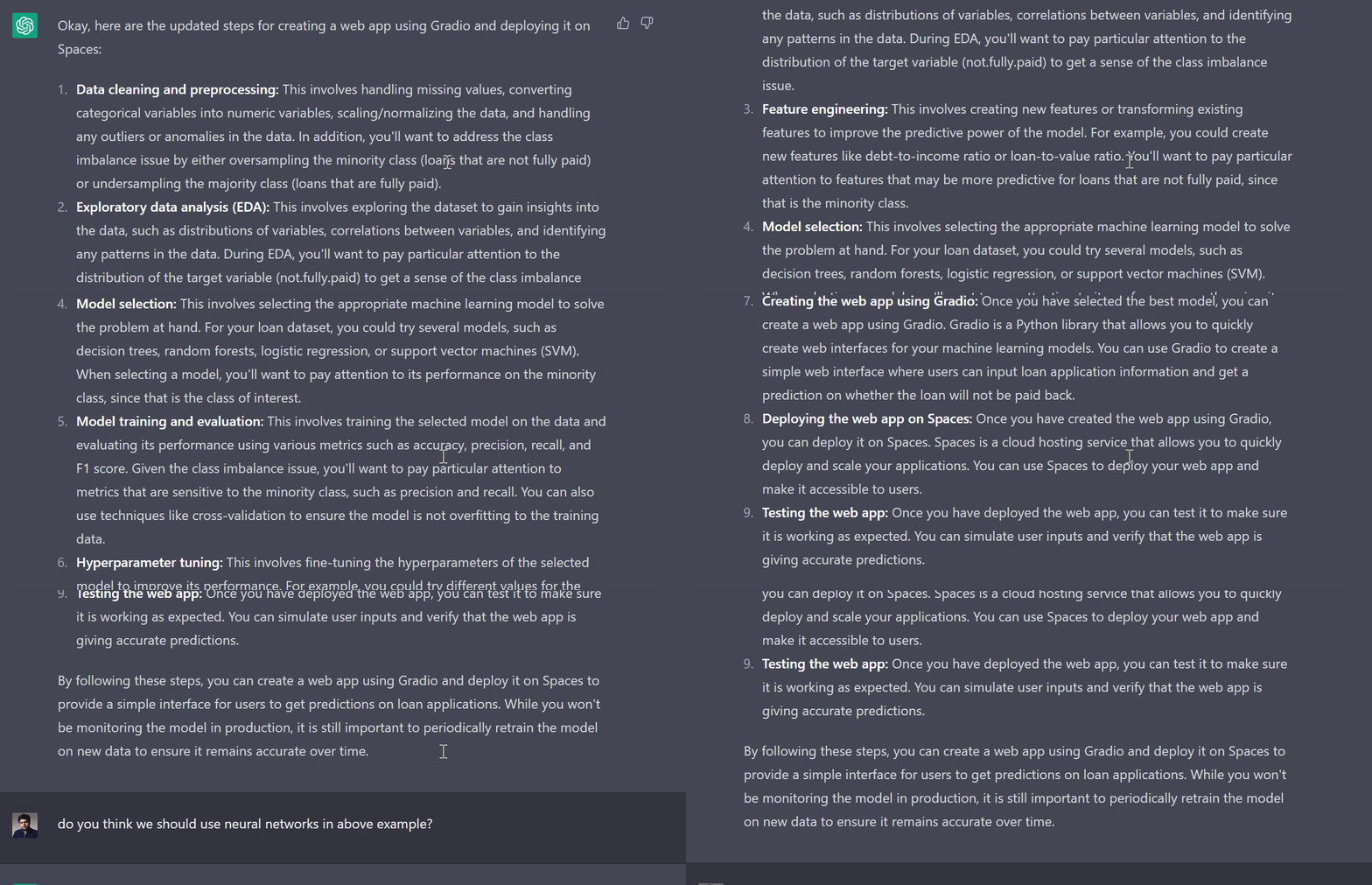
,
Long-term Memory
- OpenAI Gives ChatGPT a Memory | Lauren Goode - Wired ... The company is starting to roll out long-term memory in ChatGPT—a function that maintains a memory of who you are, how you work, and what you like to chat about. Called simply Memory, it’s an AI personalization feature that turbocharges the “custom instructions” tool. Now, ChatGPT’s memory persists across multiple chats. The service will also remember personal details about a ChatGPT user even if they don’t make a custom instruction or tell the chatbot directly to remember something; it just picks up and stores details as conversations roll on.
ChatGPT Retrieval Plugin
YouTube ... Quora ...Google search ...Google News ...Bing News
MemoryGPT
YouTube ... Quora ...Google search ...Google News ...Bing News
MemoryGPT is like ChatGPT but with long-term memory. It can remember previous chats and personalize your conversation based on that. MemoryGPT can remember previous chats “forever” if desired. It will remember your preferences, how you work, and anything you tell it. It will tweak its behavior to fit you better and can help or coach you generally. MemoryGPT stores past conversations in a vector database that it can access at any time and combines it with a regular data store for high-level user data and goals. MemoryGPT accesses past conversations through the vector database. The developer of MemoryGPT says that there are “100 ways” to put the concept into practice.
MARAGI
- MARAGI ... Microservices Architecture for Robotics and Artificial General Intelligence
- Cognitive AI Lab Discord
Chatbot with INFINITE MEMORY] using OpenAI & Pinecone - GPT-3, Embeddings, ADA, Vector DB, Semantic | David Shapiro
Visual ChatGPT
YouTube ... Quora ...Google search ...Google News ...Bing News
- Generative AI ... OpenAI's ChatGPT ... Perplexity ... Microsoft's Bing ... You ...Google's Bard
- Visual ChatGPT | GitHub - Microsoft ... follow directions here to install and run on computer
- Visual ChatGPT demo Hugging Face
- Langchain ... building applications with LLMs through composability
- Diffusion ... Stable Diffusion ... latent text-to-image diffusion model
- ControlNet ... control diffusion models by adding extra conditions.
- InstructPix2Pix ... instruction-based image editing model
- CLIPSeg ... allows to create segmentation models without training based on an arbitrary text query or an image with a mask highlighting stuff or an object. ...integrated into the Hugging Face Transformers library.
- BLIP ... Bootstrapping Language-Image Pre-training for Unified Vision-Language Understanding and Generation
- Attention Mechanism ...Transformer Model ...Generative Pre-trained Transformer (GPT)
- Video/Image ... Vision ... Colorize ... Image/Video Transfer Learning
- LangChain Visual ChatGPT
- Diagrams for Business Analysis
- Visual ChatGPT brings AI image generation to the popular chatbot | Eray Eliaçık - Dataconomy
- Visual ChatGPT is the Wake-up Call for Text-To-Image | Anirudh VK - AIM ... Analytics India Mag ... Microsoft Research is bridging the gap between humans and AI.
Visual ChatGPT is a system that combines ChatGPT and a series of Visual Foundation Models (VFMs) to enable sending and receiving images during chatting. Some of the architectural components of Visual ChatGPT include a User Query, where the user will submit their query; a Prompt Manager, which converts the users’ visual queries into language format so that the ChatGPT model can understand; and Visual Foundation Models, which combines a variety of VFMs such as BLIP (Bootstrapping Language-Image Pre-training), Stable Diffusion, ControlNet, Pix2Pix, and more.
VFMs enable the user to interact with ChatGPT by 1) sending and receiving not only languages but also images 2) providing complex visual questions or visual editing instructions that require the collaboration of multiple AI models with multi-steps. 3) providing feedback and asking for corrected results. We design a series of prompts to inject the visual model information into ChatGPT, considering models of multiple inputs/outputs and models that require visual feedback. Experiments show that Visual ChatGPT opens the door to investigating the visual roles of ChatGPT with the help of Visual Foundation Models. Our system is publicly available at \url{this https URL}.- Visual ChatGPT: Talking, Drawing and Editing with Visual Foundation Models | C. Wu, S. Yin, W. Qi, Xi.Wang, Z. Tang, & N. Duan - Microsoft Research Asia (MSRA


|
|
|
|
|
|
Micah Johns Course
In this course, you will learn how to use OpenAI ChatGPT to automate useful professional tasks. This course includes 10 projects that will help you boost your productivity and make your life a lot easier.
By the end of this course, you will be able to use ChatGPT to build your resume, write performance reports, craft job application cover letters, plan your daily schedule, prioritize your tasks, help you solve problems with software, communicate with external vendors, and so much more.
- 1. ChatGPT Full Course: Learn how to use Open AI to automate useful professional tasks with this easy video guide, including 10 projects (https://www.youtube.com/watch?v=iM_zR...).
- 2. Automate Resume Creation with Open AI's ChatGPT: Create a professional resume quickly and easily by leveraging AI with this guided how-to project (https://www.youtube.com/watch?v=5k0Uc...).
- 3. Automate Writing Professional Work Emails with Open AI: Learn how to write important professional emails with the help of AI with this guided how-to project (https://www.youtube.com/watch?v=hoWCo...).
- 4. Develop a Learning Plan for New Skills Using AI: Use Open AI's ChatGPT to develop a learning plan for new skills with this easy video guide (https://www.youtube.com/watch?v=gOgct...).
- 5. Develop Solutions for Problems in your Organization Using Open AI as your Guide: Learn how to use AI to develop solutions to problems in your organization with this project-driven guide (https://www.youtube.com/watch?v=mDlqz...).
- 6. Automate Performance Reports or Project Progress Updates Using Open AI: Leverage AI to automate performance reports and project progress updates with this easy guided project (https://www.youtube.com/watch?v=SQxci...).
- 7. Automate Planning your Schedule Hour-by-hour with Open AI: Optimize your daily schedule with AI with this easy how-to guide (https://www.youtube.com/watch?v=5M7oc...).
- 8. Optimize your LinkedIn Profile with AI: Use ChatGPT to optimize your LinkedIn profile with this simple how-to video guide
- 9. Automate Writing Cover Letters for Job Applications: Leverage Open AI's ChatGPT to automate cover letter writing for job applications with this easy guide
- 10. Prioritize Tasks or Manage Projects with AI: Use ChatGPT to prioritize tasks and manage projects using AI with this easy project-driven how-to guide
NVIDIA A100 HPC (High-Performance Computing) Accelerator
Today’s massive generative AI models require thousands of GPUs to run. To make ChatGPT work OpenAI used the NVIDIA A100 HPC (high-performance computing) accelerator. This is a tensor core GPU that features high performance, HBM2 memory (80GB of it) capable of delivering up to 2TBps memory bandwidth, enough to run very large models and datasets. More impressively, it is passively cool - despite a 300W TDP. It is based on the 3-year-old Ampere microarchitecture, which is what powers the entire stack of Geforce GPUs in the 30 series. OpenAI used 10,000 Nvidia GPUs to train ChatGPT.
GPT 5
Generative Pre-trained Transformer 5 (GPT-5) is a hypothetical AI system that is expected to be the next generation of OpenAI’s GPT series of LLMs. GPT-5 has not been released yet, and there is no official information about its development or capabilities. When will GPT 5 be released, and what should you expect from it? | Eray Eliaçık - Dataconomy
- GPT5 might have 100 times more parameters than GPT-3, which had 175 billion parameters. This means that GPT-5 could have around 17.5 trillion parameters, making it one of the largest neural networks ever created.
- GPT5 might use 200 to 400 times more computing than GPT-3, which used about 3.14 exaflops of computing during training. This means that GPT5 could use up to 1.26 zettaflops of computing, which is more than the combined computing power of all the supercomputers in the world.
- GPT5 might be able to work with longer context and be trained with a different loss function than GPT-3, which used cross-entropy loss. This could improve its ability to generate coherent and relevant text across different domains and tasks.
- GPT5 might be able to reach Artificial General Intelligence (AGI), which is the level of intelligence where an AI system can perform any task that a human can do. Some experts believe that GPT-5 could pass the Turing test, which is a test of whether a machine can exhibit human-like behavior in a conversation.
Google DeepMind's 'Model evaluation for extreme risks'
Current approaches to building general-purpose AI systems tend to produce systems with both beneficial and harmful capabilities. Further progress in AI development could lead to capabilities that pose extreme risks, such as offensive cyber capabilities or strong manipulation skills. We explain why model evaluation is critical for addressing extreme risks. Developers must be able to identify dangerous capabilities (through "dangerous capability evaluations") and the propensity of models to apply their capabilities for harm (through "alignment evaluations"). These evaluations will become critical for keeping policymakers and other stakeholders informed, and for making responsible decisions about model training, deployment, and security.
ChatGPT 4
- Sparks of Artificial General Intelligence: Early experiments with GPT-4 | S. Bubeck, V. Chandrasekaran, R. Eldan, J. Gehrke, E. Horvitz, E. Kamar, P. Lee, Y. Tat Lee, Y. Li, S. Lundberg, H. Nori, H. Palangi, M. Ribeiro, Y. Zhang - Microsoft Research
- What is GPT-4? Here's everything you need to know | Sabrina Ortiz - ZDnet
- How does GPT-4 work and how can you start using it in ChatGPT? | Mohammed Haddad - Aljazeera] ... Launched on March 14, GPT-4 is the successor to GPT-3 and is the technology behind the viral Chatbot ChatGPT.
- OpenAI unveils GPT-4 with new capabilities, Microsoft's Bing is already using it
- Stripe | OpenAI Customer Stories ... 15 of the prototypes were considered strong candidates to be integrated into the platform, including support customization, answering questions about support, and fraud detection
- Morgan Stanley | OpenAI Customer Stories ... access, process and synthesize content almost instantaneously
- The 411 on GPT-4 | The AI Exchange
- OpenAI released GPT-4, the highly anticipated successor to ChatGPT | Eray Eliaçık - Dataconomy
GPT-4o
YouTube ... Quora ...Google search ...Google News ...Bing News
GPT-4o is OpenAI's latest advanced AI model, which is described as a multimodal model integrating text, vision, and audio capabilities. This model offers significant improvements over its predecessors, including faster processing and enhanced capabilities in understanding and generating text, images, and audio content (OpenAI) (Azure).
One of the standout features of GPT-4o is its advanced voice-to-voice capabilities, which allow for real-time, seamless voice interactions without relying on other models. It has also set new benchmarks in multilingual support and vision tasks, scoring higher than GPT-4 in the Massive Multitask Language Understanding (MMLU) benchmark.
GPT-4o supports over 50 languages, covering about 97% of the world's speakers, and features a more efficient tokenizer that reduces the number of tokens required, particularly for non-Latin alphabet languages. This makes it more cost-effective and accessible for users across different languages.
This model is available to ChatGPT Plus and Team users, with plans to expand to Enterprise users soon. It is also accessible in a limited capacity to free users, with certain usage limits in place. GPT-4o is now powering ChatGPT, enhancing its abilities to provide more accurate and insightful responses across various inputs.
GPT-4
GPT-4 can accept prompts of both text and images. This means that it can take images as well as text as input, giving it the ability to describe the humor in unusual images, summarize text from screenshots, and answer exam questions that contain diagrams. It has 1 trillion parameters, short-term memory extends to around 64,000 words, while GPT-3.5's short-term memory is around 8,000 words.
GPT-4, known as Prometheus can be used on:
- Microsoft Edge: Microsoft Bing Chat
- Chrome Extension: UseChatGPT.AI: Copilot on Chrome (GPT-4 ✓)
- Android: AI Assistant Widget Chat GPT-4 on Google Play Store
One of ChatGPT-4’s most dazzling new features is the ability to handle not only words, but pictures too, in what is being called “multimodal” technology. A user will have the ability to submit a picture alongside text — both of which ChatGPT-4 will be able to process and discuss. The ability to input video is also on the horizon. - Everything You Need to Know About ChatGPT-4 | Alex Millson - Bloomberg, Time
GPT4All
YouTube ... Quora ...Google search ...Google News ...Bing News
- Github | GPT4All
- Dataset viewer | NOMIC.ai
- Tech report: GPT4All: Training an Assistant-style Chatbot with Large Scale DataDistillation from GPT-3.5-Turbo | Y. Anand, Z. Nussbaum, B. Duderstadt, B. Schmidt, & A. Mulyar - NOMIC.ai
A chatbot trained on a massive collection of clean assistant data including code, stories and dialogue. Demo, data and code to train an assistant-style large language model with ~800k GPT-3.5-Turbo Generations based on LLaMa
|
|
Edge Impulse
Using GPT-4o to train a 2,000,000x smaller model (that runs directly on device) The latest generation LLMs are absolutely astonishing — thanks to their multi-modal capabilities you can ask questions in natural language about stuff you can see or hear in the real world ("is there a person without a hard hat standing close to a machine?") and get relatively fast and reliable answers. But these large LLMs have downsides; they're absolutely huge, so you need to run them in the cloud, adding high latency (often seconds per inference), high cost (think about the tokens you'll burn when running inference 24/7), and high power (need a constant network connection).
In this video we're distilling knowledge from a large multimodal LLM (GPT-4o) and putting it in a tiny model, which we can run directly on device; for ultra-low latency, and without the need for a network connection, scaling to even microcontrollers with kilobytes of RAM if needed. Training was done fully unsupervised, all labels were set by GPT-4o, including deciding when to throw out data, then trained onto a transfer learning model w/ default settings.
One of the models we train has 800K parameters (an NVIDIA TAO model with MobileNet backend), a cool 2,200,000x fewer parameters than GPT-4o :-) with similar accuracy on this very narrow and specific task.
The GPT-4o labeling block and TAO transfer learning models are available for any enterprise customers in Edge Impulse. There's a 2-week free trial available, sign up at Edge Impulse
PrivateGPT
PrivateGPT, which allows you to chat directly with your documents (PDF, TXT, and CSV) completely locally, securely, privately, and open-source. PrivateGPT is a project that uses GPT4All to achieve a specific task, i.e. querying over documents using the LangChain framework. It does this by using the GPT4All model, however, any model can be used and sentence_transformer embeddings, which can also be replaced by any embeddings that LangChain supports. PrivateGPT is built with LangChain, GPT4All, LlamaCpp, Chroma and SentenceTransformers. You can ingest documents and ask questions without an internet connection. PrivateGPT works by ingesting your documents into a vector store and then using a Large Language Model (LLM) to answer questions about the information contained in those documents. PrivateGPT can be used offline without connecting to any online servers or adding any API keys from OpenAI or Pinecone. To facilitate this, it runs an Large Language Model (LLM) locally on your computer. This makes it possible to use PrivateGPT without an internet connection and ensures that your data remains private and secure. You can set up PrivateGPT by installing the required dependencies, downloading the LLM, and configuring the environment variables in the `.env` file¹. Once set up, you can ingest your documents into the vector store and then use PrivateGPT to ask questions about the information contained in those documents.
SentenceTransformers is a Python framework for state-of-the-art sentence, text, and image embeddings. It is based on PyTorch and Transformers and offers a large collection of pre-trained models tuned for various tasks. You can use this framework to compute sentence/text embeddings for more than 100 languages. These embeddings can then be compared, for example, with cosine similarity to find sentences with a similar meaning. This can be useful for semantic textual similarity, semantic search, or paraphrase mining. You can install the Sentence Transformers library using pip: pip install -U sentence-transformers
