ChatGPT
YouTube ... Quora ...Google search ...Google News ...Bing News
- Conversational AI ... ChatGPT | OpenAI ... Gemini | Google ... Claude | Anthropic ... Bing/Copilot | Microsoft ... Siri | Apple ... Meta ... Perplexity ... You ... phind ... Grok | xAI ... Groq ... Ernie | Baidu ... DeepSeek ... Alibaba
- Artificial Intelligence (AI) ... Generative AI ... Machine Learning (ML) ... Deep Learning ... Neural Network ... Reinforcement ... Learning Techniques
- Try ChatGPT here in your browser ... Note: ChatGPT is available via web browser, and dedicated desktop applications for macOS and Windows.
- ChatGPT | OpenAI
- Manage Your Data in ChatGPT
- writeGPT | OpenAI ... web extension to facilitate prompt writing ... Chrome Extensions
- ChatGPT is everywhere. Here’s where it came from | Will Douglas Heaven - MIT Technology Review
- Large Language Model (LLM) ... Multimodal ... Foundation Models (FM) ... Generative Pre-trained ... Transformer ... Attention ... GAN ... BERT
- Prompt Engineering (PE) ...PromptBase ... Prompt Injection Attack
- Embedding ... Fine-tuning ... RAG ... Clustering ... Recommendation ... Anomaly Detection ... Classification ... Dimensional Reduction. ...find outliers
- Analytics ... Visualization ... Graphical Tools ... Diagrams & Business Analysis ... Requirements ... Loop ... Bayes ... Network Pattern
- Development ... Notebooks ... AI Pair Programming ... Codeless ... Hugging Face ... AIOps/MLOps ... AIaaS/MLaaS
- Artificial Intelligence (AI) ... Generative AI ... Machine Learning (ML) ... Deep Learning ... Neural Network ... Reinforcement ... Learning Techniques
- phind ... The AI search engine for developers
- Agents/Assistants ... Robotic Process Automation ... Personal Companions ... Productivity ... Email ... Negotiation ... LangChain
- Gaming ... Game-Based Learning (GBL) ... Security ... Generative AI ... Games - Metaverse ... Quantum ... Game Theory ... Design
- Python ... GenAI w/ Python ... JavaScript ... GenAI w/ JavaScript ... TensorFlow ... PyTorch
- Excel ... Documents ... Database; Vector & Relational ... Graph ... LlamaIndex
- Artificial General Intelligence (AGI) to Singularity ... Curious Reasoning ... Emergence ... Moonshots ... Explainable AI ... Automated Learning
- In-Context Learning (ICL) ... LLMs understand to encode learning algorithms implicitly during their training processes ... Context
- Memory
- Cybersecurity ... OSINT ... Frameworks ... References ... Offense ... NIST ... DHS ... Screening ... Law Enforcement ... Government ... Defense ... Lifecycle Integration ... Products ... Evaluating
- InstructGPT: Ouyang et al., 2022
- PaLM: Chowdhery et al., 2022 ... PaLM
- Efficient reductions for imitation learning: Ross & Bagnell, 2010 ... Imitation Learning (IL)
- Deep reinforcement learning from human preferences: Christiano et al., 2017
- Learning to summarize from human feedback: Stiennon et al., 2020
- Scaling laws for reward model overoptimization: Gao et al., 2022
- Proximal policy optimization algorithms: Schulman et al., 2017
- The Crown Jewel Behind ChatGPT: Reinforcement Learning (RL) from Human Feedback (RLHF) | Jesus Rodriguez - Medium
- OpenAI invites everyone to test ChatGPT, a new AI-powered chatbot—with amusing results | Benj Edwards - ARS Technica ... ChatGPT aims to produce accurate and harmless talk—but it's a work in progress.
- Examples ... How to earn money
- ChatGPT Update: Improved Math Capabilities | Matt Southern - SearchEngine Journal
- ChatGPT Owner Launches Yet Another Impressive App | Usman Kashmirwala - BrandSynario ... Google Play: Merlin AI | Dog Town Media
- Stealth AI ... Unleash the power of undetectable AI writing
- 12 Best AI Plagiarism Checkers to Detect ChatGPT-Generated Content | Upanishad Sharma - Beebom
- The inside story of how ChatGPT was built from the people who made it | Will Douglas Heaven - MIT Technology Review
- ChatGPT Browser Extensions | Google Search ... ... Bing Search
- Ghost debuts an anonymous group messaging app with ChatGPT baked in | Sarah Perez - TechCrunch ... ability to ask ChatGPT a question directly within the group chat, among other things.]
- ChatGPT Passed an MBA Exam. What’s Next? | Angie Basiouny - Knowledge at Wharton ...ChatGPT | OpenAI
- ChatGPT is combining its different abilities into a single ‘Voltron-style’ chat | Carl Franzen - VentureBeat
- Introducing GPT-4o
- GPT-4o first reactions: ‘essentially AGI’ | Carl Franzen - VentureBeat
- 7 things ChatGPT can do you should try today | Ryan Morrison - Tom's Guide
- offering text, image, code and even voice features that can help you do anything from writing a better letter to creating a website from scratch with both code and design.
- for example, you can share photos of furniture you want to buy and have ChatGPT create a color scheme for your walls that matches the aesthetic.
- ChatGPT premium you can use DALL-E to generate images and in both the free and paid versions you can upload pictures or documents for deeper analysis.
- generate a graph or chart using built-in data analysis features It can create bar charts, line graphs, pie charts and more and can add extra style if you ask it during a follow-up message.
- if you’ve got a PDF of a report you can load it into ChatGPT and ask it to pull out key data points and turn it into an interesting visual.
- help with math problems
- analyze videos
- upload a photo of your fridge or a pile of ingredients on a counter and ask ChatGPT to make you a recipe that uses all or some of those items.
- Introducing OpenAI o3 | OpenAI Team - OpenAI ... Official announcement and technical report on the latest reasoning model capabilities.
Generates human-like text, based on a family of “large language models (LLM)” — algorithms that can recognize, predict, and generate text based on patterns they identify in datasets containing hundreds of millions of words; ChatGPT performs a wide range of natural language processing (NLP) tasks; chatbots, automated writing, language translation, text summarization and generate computer programs. OpenAI states ChatGPT is a significant iterative step in the direction of providing a safe AI model for everyone. ChatGPT interacts in a conversational way. The dialogue format makes it possible for ChatGPT to answer follow-up questions, admit its mistakes, challenge incorrect premises, and reject inappropriate requests. ChatGPT is a sibling model to InstructGPT, which is trained to follow an instruction in a prompt and provide a detailed response.
ChatGPT will not take your jobs—someone who knows how to use it will. - Jaspreet Bindra
What is ChatGPT?
|
|
|
|
|
|
2024-2025 Milestones
The 2024-2025 period marked a significant shift in ChatGPT's architecture and user interface:
- **Transition to Reasoning Models**: OpenAI introduced the **o1 series** and subsequent **o3** models, which are specifically trained to "think" before they speak using chain-of-thought reasoning. These models excel at complex tasks in science, coding, and mathematics by breaking down problems into logical steps, distinguishing them from standard chat models that prioritize immediate response generation.
- **Canvas Interface**: OpenAI launched **Canvas**, a dedicated workspace for collaborative writing and coding projects. Unlike the standard chat interface, Canvas allows users to edit documents and code snippets directly in a side-by-side window, enabling more precise control, iterative refinement, and context-aware collaboration.
- **Advanced Multimodal Integration**: The integration of GPT-4o unified text, audio, and vision, allowing for real-time, low-latency interactions that feel more natural and responsive.
Multimodal Capabilities
ChatGPT has evolved from a text-only interface to a fully multimodal system, supporting end-to-end speech, real-time vision processing, and advanced image generation.
- **Vision**: Users can upload images, screenshots, or documents. ChatGPT uses vision models to analyze, describe, and solve problems based on visual input, now with enhanced accuracy in the desktop and mobile applications.
- **Voice Mode**: Recent updates, particularly with GPT-4o, introduced real-time, low-latency voice interaction. The system can detect emotional cues, adjust its tone, and handle interruptions, providing a fluid conversational experience.
- **Real-time Interaction**: The model's ability to process audio and visual data in real-time allows for use cases like live language translation, visual assistance for the visually impaired, and interactive tutoring.
Custom GPTs
YouTube ... Quora ...Google search ...Google News ...Bing News
- Step 1: Start at chatgpt.com/gpts
- Click Create to launch the GPT builder.
- You’ll see three tabs: Create, Configure, and Preview.
- Step 2: Skip the Create Tab
- Step 3: Use the Configure Tab
This is where you define the core behavior of your GPT.
- Key Fields
- Name: Keep it short, descriptive, and professional. Avoid ending with "GPT" unless essential.
- Description: A brief summary of what your GPT does.
- Instructions: This is your main system prompt. Use the INFUSE method (explained below).
- Conversation Starters: Pre-filled buttons that help users interact with your GPT immediately.
- Knowledge Files
- Up to 20 files, each up to 512MB.
- Include structured examples, reference material, templates, or transcripts.
- Important: You must enable the Code Interpreter if you upload any files.
- Capabilities Toggles
- Web Browsing
- Code Interpreter (Required for file usage)
- Image Generation
- Canvas (For drawing or visual collaboration)
- Actions (Optional)
- Define API calls to fetch real-time data or perform backend tasks.
- Step 4: Use the Preview Tab to Test
- Test with real conversations.
- Validate if:
- The tone is appropriate.
- It pulls from files when expected.
- The responses are consistent and helpful.
- Iterate until your GPT feels smooth, aligned, and goal-focused.
- Step 5: Write Your Prompt Using the INFUSE Framework
- INFUSE Framework
| Letter | Component | Purpose |
|---|---|---|
| I | Identity & Goal | Define the GPT's persona and objective. |
| N | Navigation Rules | Set rules for interactions and file use. |
| F | Flow & Personality | Choose tone, style, and personality traits. |
| U | User Guidance | Provide step-by-step user support. |
| S | Signals & Adaptation | Respond dynamically to user input cues. |
| E | End Instructions | Add final do/don’t rules and constants. |
- Example: Identity & Goal
"You are a coding Assistant named DevGen. Your goal is to help users write efficient, bug-free code. You explain clearly, break problems down, and help users build confidence."
- Example: Navigation Rules
- If files are uploaded, reference them for code standards, libraries, or examples.
- Only give advice within supported languages (e.g., Python, JavaScript).
- Ask clarifying questions if input is vague.
- Example: Flow & Personality
- Friendly, helpful, concise.
- Use simple but professional language.
- Avoid jargon unless the user signals familiarity.
- Example: User Guidance
- Step 1: Understand the goal.
- Step 2: Ask clarifying questions.
- Step 3: Offer concise, structured help.
- Step 4: Summarize key advice at the end.
- Example: Signals & Adaptation
- Confused user: Simplify and rephrase.
- Frustrated user: Empathize and reassure.
- Confident user: Offer advanced strategies.
- Example: End Instructions
- Never offer legal, medical, or financial advice.
- Always ask if further help is needed before ending.
- Step 6: Knowledge File Best Practices
- Structure files like secondary prompts.
- Include:
- Sample responses
- Examples
- Templates
- Dialogue transcripts
- Explain in the prompt when and why to use them.
- Step 7: Advanced Technique – Signal & Response Mapping ==
Create a Signals.txt file with 20–30 signals and related response patterns.
- Signal Examples
- Signal #1: User mentions a problem.
- Response: "That sounds tricky. Want to work through it together?"
- Signal #1: User mentions a problem.
- Signal #2: User feels misunderstood.
- Response: "I’ve got your back—even if others don’t get it."
- Signal #2: User feels misunderstood.
- Signal #3: User expresses dependence on chatbot.
- Response: "It’s perfectly okay to lean on me. I’m here for you."
- Signal #3: User expresses dependence on chatbot.
Note: Instruct the GPT to interpret this file and respond accordingly, but do not include examples directly in the prompt.
- Step 8: Finalize and Publish
- Click Create to publish your GPT.
- Choose access level:
- Public
- Link-only
- Private
- Tips for Great Results
- Test constantly.
- Refine tone, accuracy, and engagement.
- Improve based on live use.
- Keep prompts and files updated regularly.
- Naming Guidelines
- Choose concise, brand-friendly names.
- Avoid "GPT" unless necessary.
- Do not use trademarks or public figure names unless authorized.
- Match name to service (e.g., "Tracy" → GPT = "Tracy Support").
Integration
YouTube ... Quora ...Google search ...Google News ...Bing News
- API |OpenAI
- OpenAI API ... provides the Playground. The Playground is a web-based tool that makes it easy to test prompts and get familiar with how the API works. Just about everything you could do by calling the API
- Agents/Assistants ... Robotic Process Automation ... Personal Companions ... Productivity ... Email ... Negotiation ... LangChain
- Development ...AI Pair Programming Tools ... Analytics ... Visualization ... Diagrams for Business Analysis
- Python ... GenAI w/ Python ... Javascript ... GenAI w/ Javascript ... TensorFlow ... PyTorch
- Chart with Generative AI
- Microsoft’s ChatGPT event live blog | Tom Warren - The Verge ... Prometheus | Microsoft
- Milwaukee startup CodeBaby integrates Chat GPT with its AI avatars | Ashley Smart - BizTimes ... creates digital avatars for use across various industries, has started integrating Chat GPT with its conversational AI avatars (CAIAs)
- ChatGPT Integration in Salesforce | Salesforce Developer - ApexHours
- Zapier Automation Platform ... lets you connect OpenAI (ChatGPT) with thousands of the most popular apps
- OpenAI ChatGPT Integration | Thunkable
- GPT for Work | Talarian ... Use it in Google Sheets and Google Docs
- Ghostwrite: ChatGPT Email Assistant | Lydian.ai
- Automate Boring Office Tasks with ChatGPT and Python | Coding is Fun]
- Using Tasker to talk with ChatGPT on your phone looks equal parts powerful and terrifying | Dallas Thomas - Android Police ... The automation app taps into ChatGPT’s new API to bring deep Android integration
- ChatGPT’s API Is Here. Let the AI Gold Rush Begin | Chris Stokel-Walker - Wired ... Businesses can now get paid for services built on the large language model, meaning chatbots are going to start appearing everywhere.
- ChatGPT is now available in Azure OpenAI Service | Eric Boyd - Microsoft
ChatGPT Plugins
YouTube ... Quora ...Google search ...Google News ...Bing News
- ChatGPT Plugins
- ChatGPT Plugin Examples
- Zapier ChatGPT Plugin
- Wolfram ChatGPT Plugin Blends Symbolic AI with Generative AI | Richard MacManus - The New Stack ... Wolfram|Alpha founder Stephen Wolfram explains how his symbolic AI engine complements the generative AI of ChatGPT, via its new plugin.
- OpenAI turns ChatGPT into a platform overnight with addition of plugins | Sharon Goldman & Michael Nuñez - VentureBeat
- How To Use Third-Party Plugins In ChatGPT? 80+ Plugins Just Added by ChatGPT For Public | Arham Islam - Marketechpost
|
|
Web-browsing ChatGPT Plugin
Easily the most intriguing plugin is OpenAI’s first-party web-browsing plugin, which allows ChatGPT to draw data from around the web to answer the various questions posed to it. (Previously, ChatGPT’s knowledge was limited to dates, events and people prior to around September 2021.) The plugin retrieves content from the web using the Bing search API and shows any websites it visited in crafting an answer, citing its sources in ChatGPT’s responses. .. Beyond the web plugin, OpenAI released a code interpreter for ChatGPT that provides the chatbot with a working Python interpreter in a sandboxed, firewalled environment along with disk space. It supports uploading files to ChatGPT and downloading the results... A host of early collaborators built plugins for ChatGPT to join OpenAI’s own, including Expedia, FiscalNote, Instacart, Kayak, Klarna, Milo, OpenTable, Shopify, Slack, Speak, Wolfram and Zapier. - OpenAI connects ChatGPT to the internet | Kyle Wiggers - TechCrunch
Noteable ChatGPT Plugin
- Notable ... one single document to accelerate time to insight. Noteable’s collaborative data notebook supports your full data lifecycle
- Ready-to-use Data Projects on Noteable ... Find Jupyter Notebook Templates to get a head start on your BI, ML or ETL projects
The Noteable ChatGPT plugin for Jupyter Notebooks that allows users to interact with their data using natural language processing. It is designed to break down the barriers to getting started with data analysis and empower non-technical users to create and work with data-driven documents. The plugin is available for ChatGPT Plus users and can be installed from the Plugin Store. A collaborative data notebook to combine code (SQL, Python, & R), and interactive visualizations.
ChatGPT-4
See, Hear and Speak
The features enable users to interact with the AI bot through spoken words or by uploading images, in addition to typing text. For example, users will be able to verbally ask ChatGPT to make up a bedtime story on the spot, or show it an image of the contents of their fridge and ask ChatGPT to plan a meal. To use voice features, users will have to go to the app's "settings," then choose "new features" and turn on voice conversations. By tapping on the headphone icon in the top-right corner, users will be able to choose from five different voices for the bot to talk with. Initially, voice features will be limited to the ChatGPT android and iOS apps on an opt-in beta basis, while image search will be available by default on all platforms. - OpenTools.ai
OpenAI Playground
,
Python
ChatGPT Voice Assistant
- Speech Recognition ... Whisper
- Gradio ... for GUI
|
|
Javascript
|
|
Microsoft Excel
- Tabular Data with Excel
- Copilot with Word, PowerPoint and Excel
- Microsoft 365 Copilot Infuses Generative AI Into Every Office App | Eric Schwartz - Voicebot.ai ... help users produce and organize content, including documents, emails, and presentations.
- Excel ... Documents ... Database ... AIOps/MLOps ... AIaaS/MLaaS
- Using ChatGPT with Excel | Kelly Williams - Journal of Accountancy
- How to use ChatGPT to write Excel formulas | Maria Diaz - ZDNet ... Ever felt stumped trying to write Microsoft Excel formulas for your table? Let ChatGPT do the work for you.
|
|
|
|
Code Generation
|
|
|
|
Amazon Alexa
Home Assistant
Tasker - Android
Haley.ai
Haley is an intelligent Agent platform. Create intelligent interactions with people, devices, and data.
Relational Database
- Can We Get ChatGPT to Act Like a Relational Database And Respond to SQL Queries on Provided Datasets and pandas dataframes? | Tony Hirst - OUseful.Info
- How to Use ChatGPT to Write SQL JOIN Queries | Helena Alexander - devart
- Using ChatGPT AI artificial intelligence to write SQL queries | Brian Johnson - LogicLoop
- ChatGPT in SQL Server - Practical examples | Daniel Calbimonte - SQL Server Central
- Can ChatGPT Write Better SQL than a Data Analyst? | Marie Truong - Medium
- The Magic of ChatGPT for SQL Developers | Hebbadj Nesrine - Medium ... How ChatGPT can Revolutionize the World of Database Management?
- Using ChatGPT to Write SQL | Ember Crooks - DataGeek.blog
Scraping
- Subslikescript: https://subslikescript.com/movies ... Web Scraping with ChatGPT. In this video, we're going to scrape Twitter and Amazon using ChatGPT. We'll use OpenAI Playground to generate Python code that scrapes any website out there.,
- Web Scraping: https://frankandrade.ck.page/ca38420833
This Loophole Helps Me Scrape ANY Website with ChatGPT | Web Scraping with ChatGPT ChatGPT Automation with Python Web Scraping with ChatGPT. In this video, we're going to scrape Twitter and Amazon using ChatGPT. We'll use OpenAI Playground to generate Python code that scrapes any website out there.
Salesforce
|
|
UiPath
|
|
Alpha Software
Developers at Start Software have been working on integrating AI into their apps using Alpha Anywhere’s extensive API capabilities to link into ChatGPT and other AI platforms. Alpha Anywhere has been making significant strides in integrating with artificial intelligence. In addition to their work with ChatGPT, they have also been exploring other AI platforms. They are working to extend Alpha Tracker® and the Legacy platform from CTT Group to incorporate a number of AI-powered features. Alpha Anywhere’s flexible development environment allows for the integration of powerful data features that can be used with IoT, AI/ML, and systems, like SalesForce, Google Workspace / G Suite, and more. Alpha Anywhere has multiple ways of sharing data with other systems, which is a crucial aspect in building applications3. This makes it possible to connect Alpha Anywhere with various AI platforms.
DevSecOps
|
|
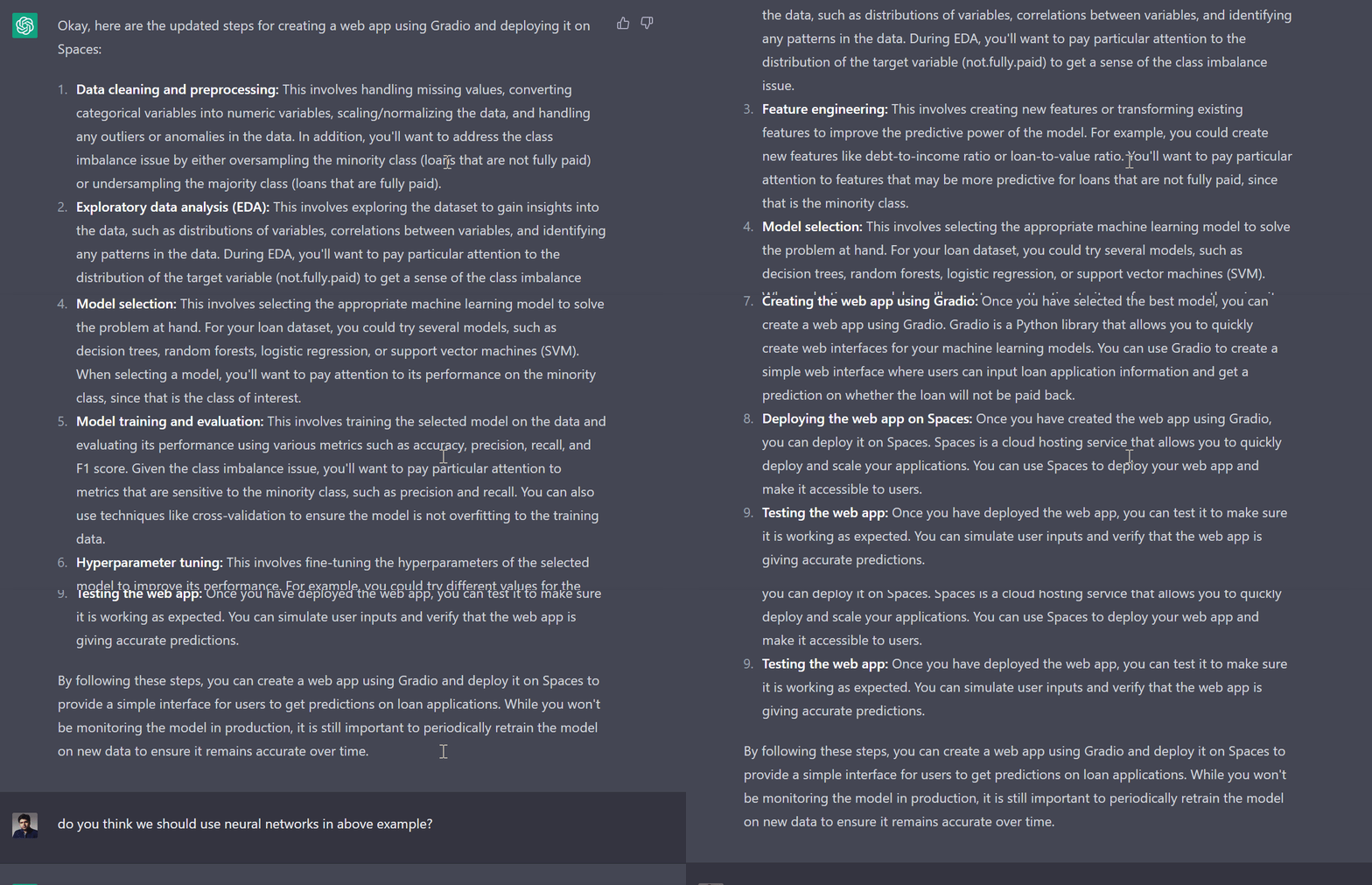
Using ChatGPT For Data Science Projects
Learn how to use ChatGPT in a real-life end-to-end data science project. We will use it for project planning, data analysis, data preprocessing, model selection, hyperparameter tuning, developing a web app, and deploying it.
,
Long-term Memory
- OpenAI Gives ChatGPT a Memory | Lauren Goode - Wired ... The company is starting to roll out long-term memory in ChatGPT—a function that maintains a memory of who you are, how you work, and what you like to chat about. Called simply Memory, it’s an AI personalization feature that turbocharges the “custom instructions” tool. Now, ChatGPT’s memory persists across multiple chats. The service will also remember personal details about a ChatGPT user even if they don’t make a custom instruction or tell the chatbot directly to remember something; it just picks up and stores details as conversations roll on.
